01
Nothing is uploaded, ever
Local OCR only. No screenshot, video, or raw screen text is ever captured or sent — not to Kloy, not to anyone.
Kloy reads what's actually on your screen — not just the app or window title — so work and personal time split correctly, without you touching a toggle.
The problem
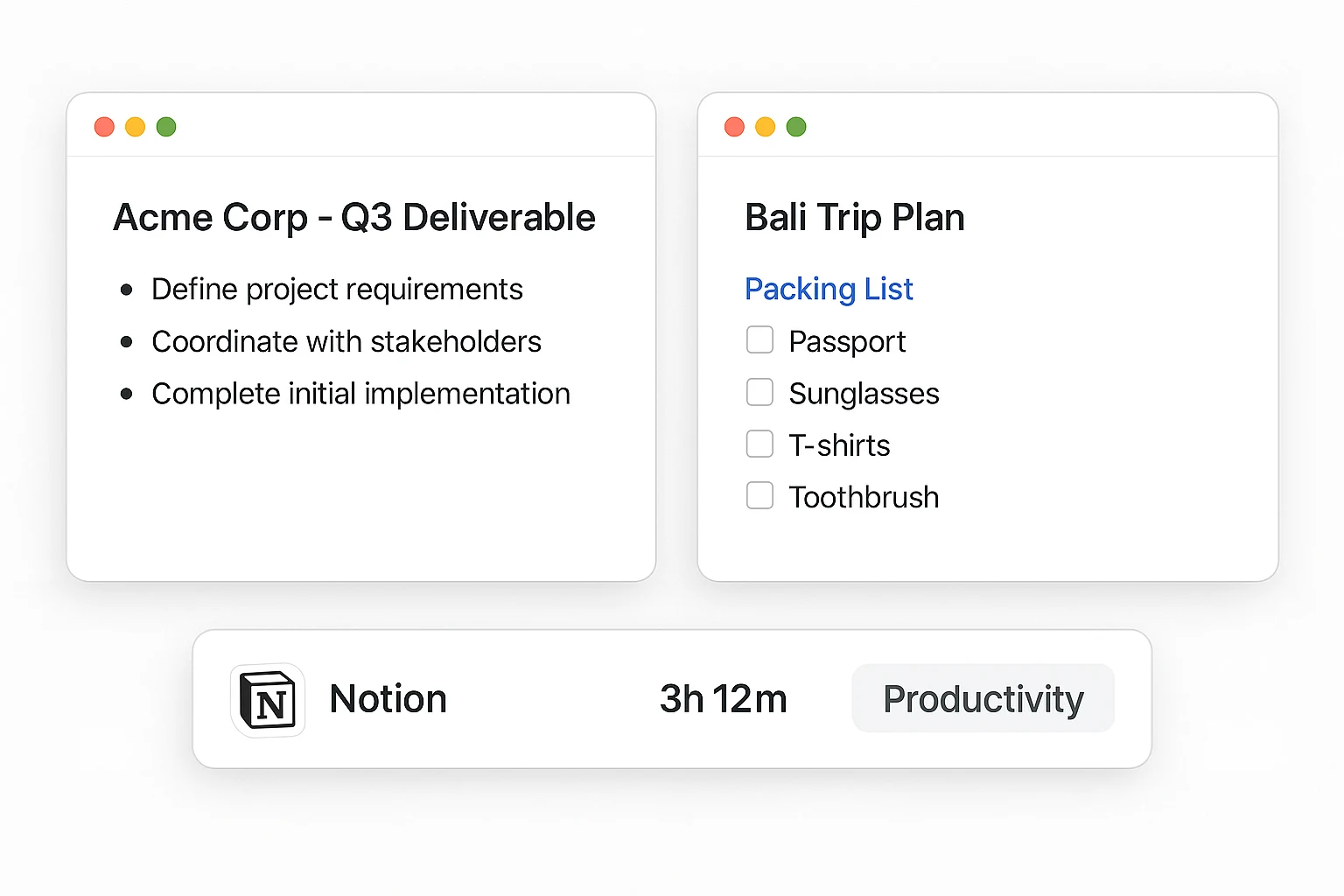
App-based logic can't tell client work from a personal tab in the same window.
App-based trackers
Most trackers log it the same way — whether you're writing a client deliverable or planning a trip.
They only look at the app, not what's inside it.
Manual switching
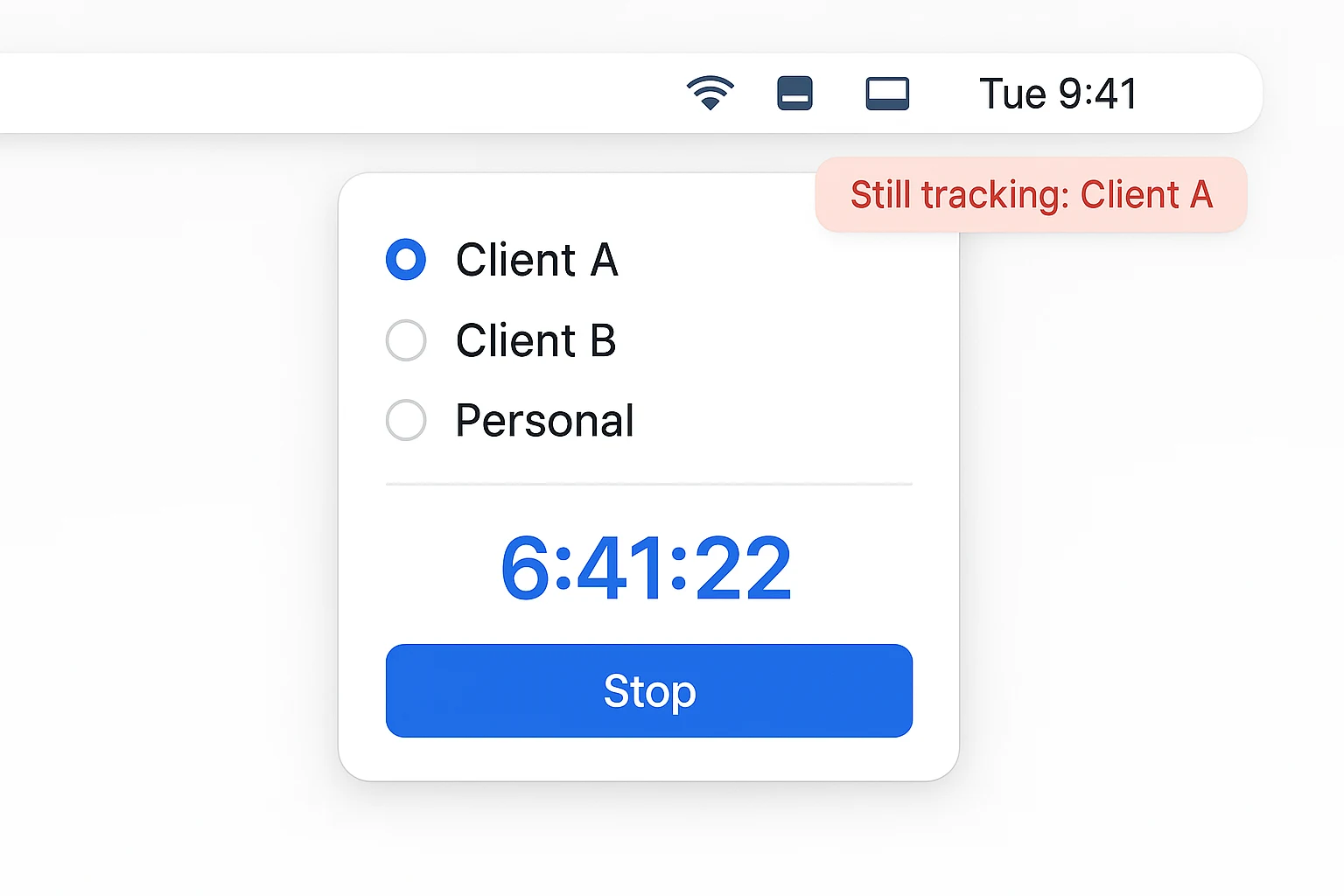
Every time you move between clients, or between work and life, you have to remember to start, stop, or relabel the timer yourself.
The result
Forget to switch once, and the report no longer matches what you actually worked on.
You're back to reconstructing hours from memory.
Why it's different
The same app, the same URL, can mean two different things.
Kloy looks at what's actually on your screen and explains why it counted — context decides, not the app name.
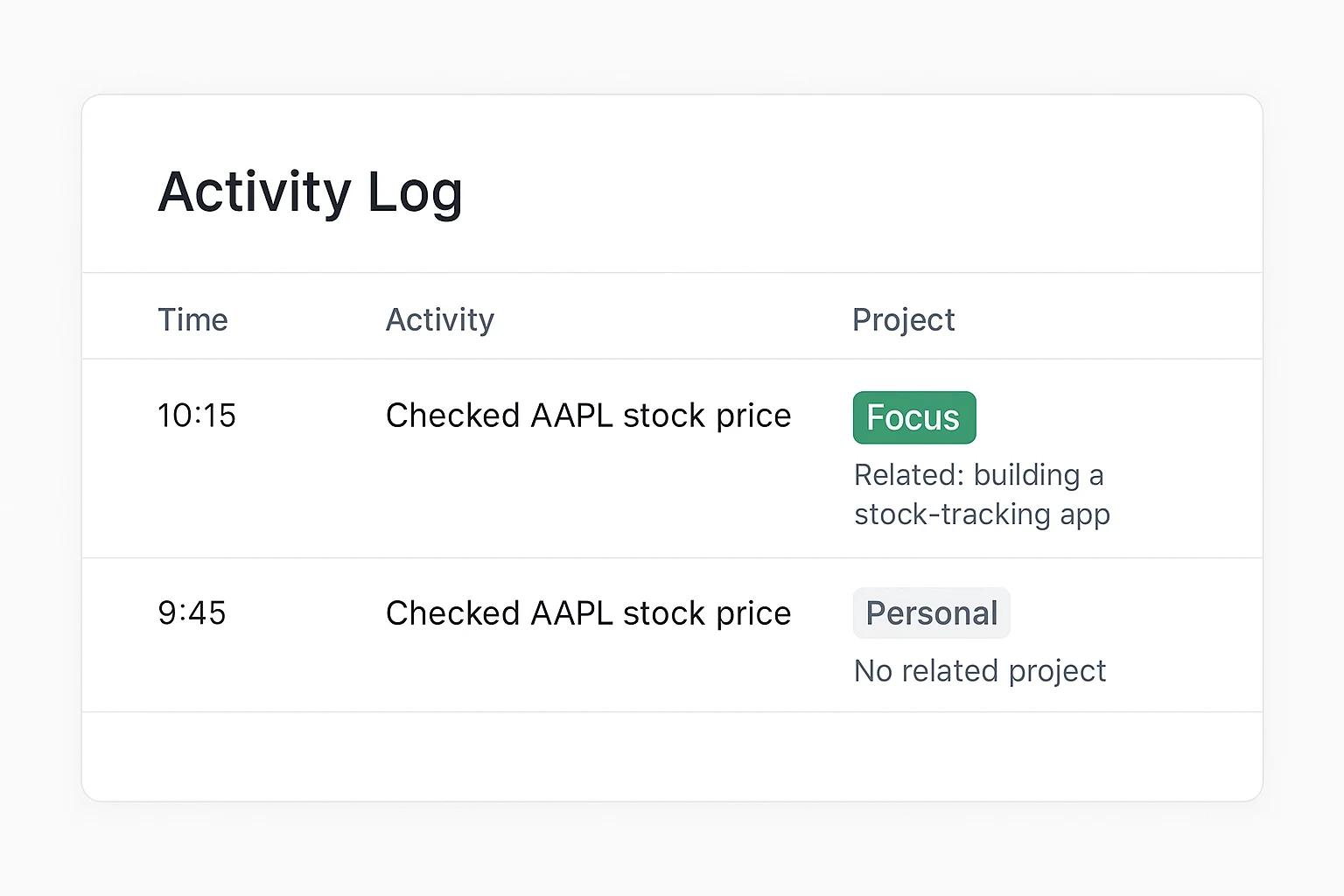
A stock check for a stock-tracking product reads as work, not a red flag — because the AI explains why.
The same stock check for someone else reads as personal time. Same action, different context, correct answer either way.
No more switching
Leave it running across client work, personal projects, and side hustles.
Kloy sorts the time by project on its own — no toggles, no manual switching.
Mix it all in
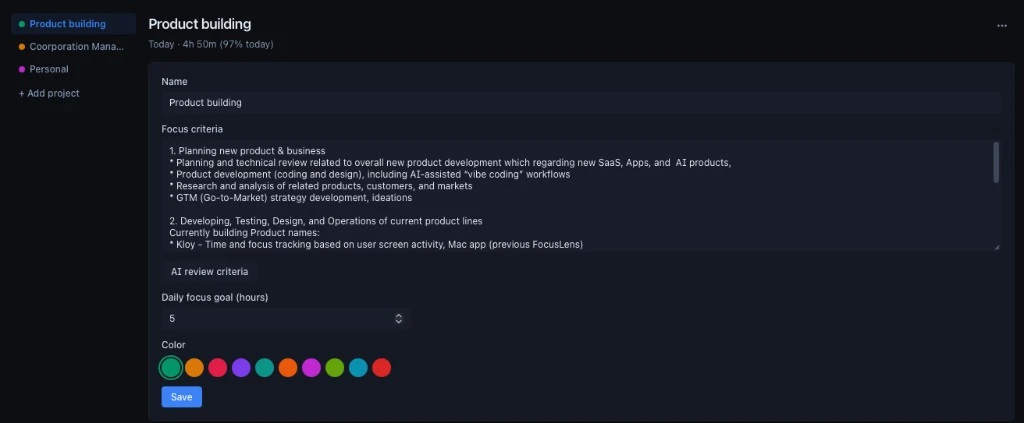
Give each one its own focus criteria, daily goal, and color.
Kloy tells them apart from what you're doing, not from which timer happens to be running.
Always on
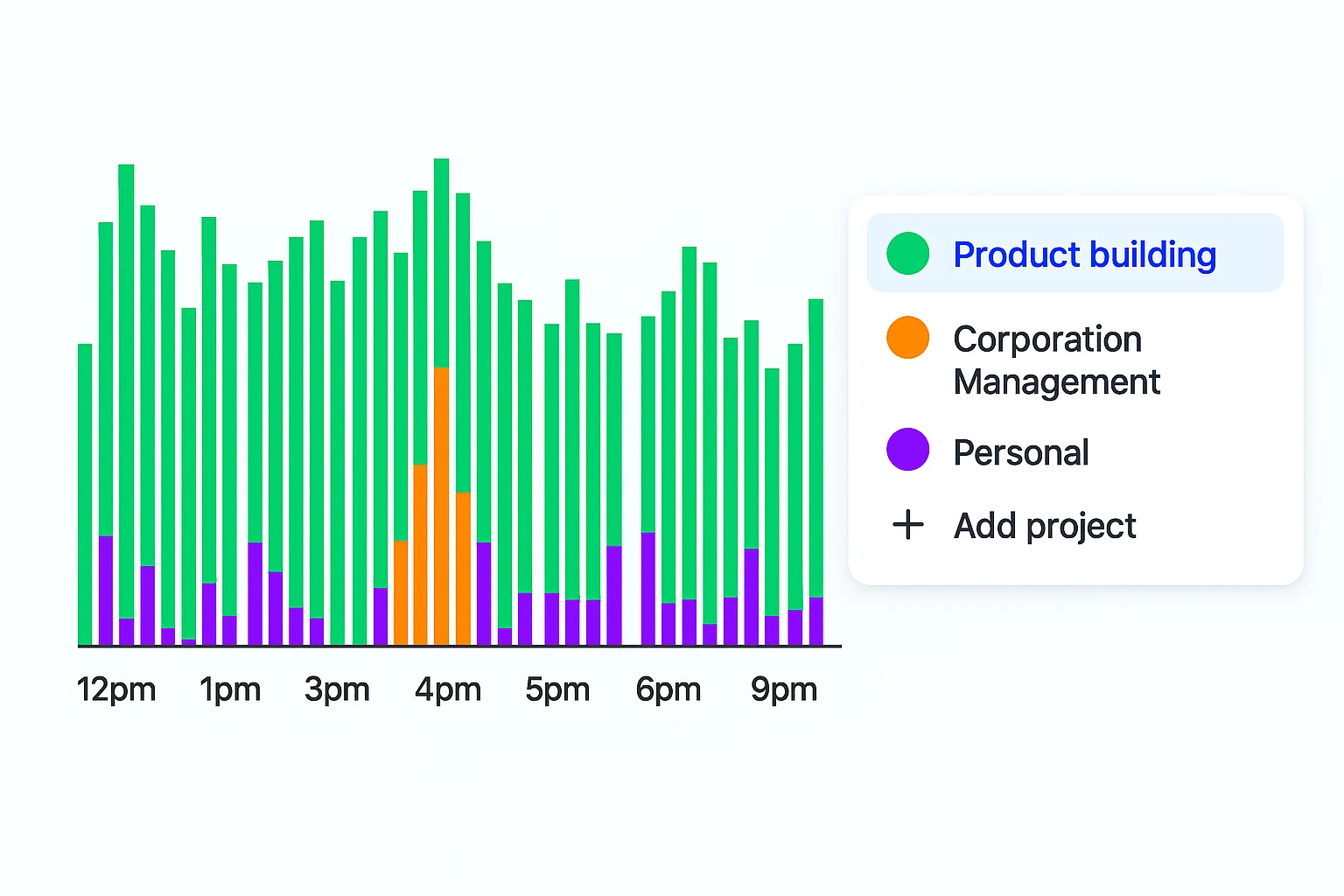
Keep tracking on all day, even as you move between a client call, a personal errand, and a different client's project.
Kloy figures out which project each moment belongs to from what's actually on screen.
Reports, per project
See focus rate and time allocation broken out by project — share only what's relevant with each client.
How it works
App name and window title alone can't tell work from personal.
Kloy reads what's actually there, then classifies it against your goal.
Step 1
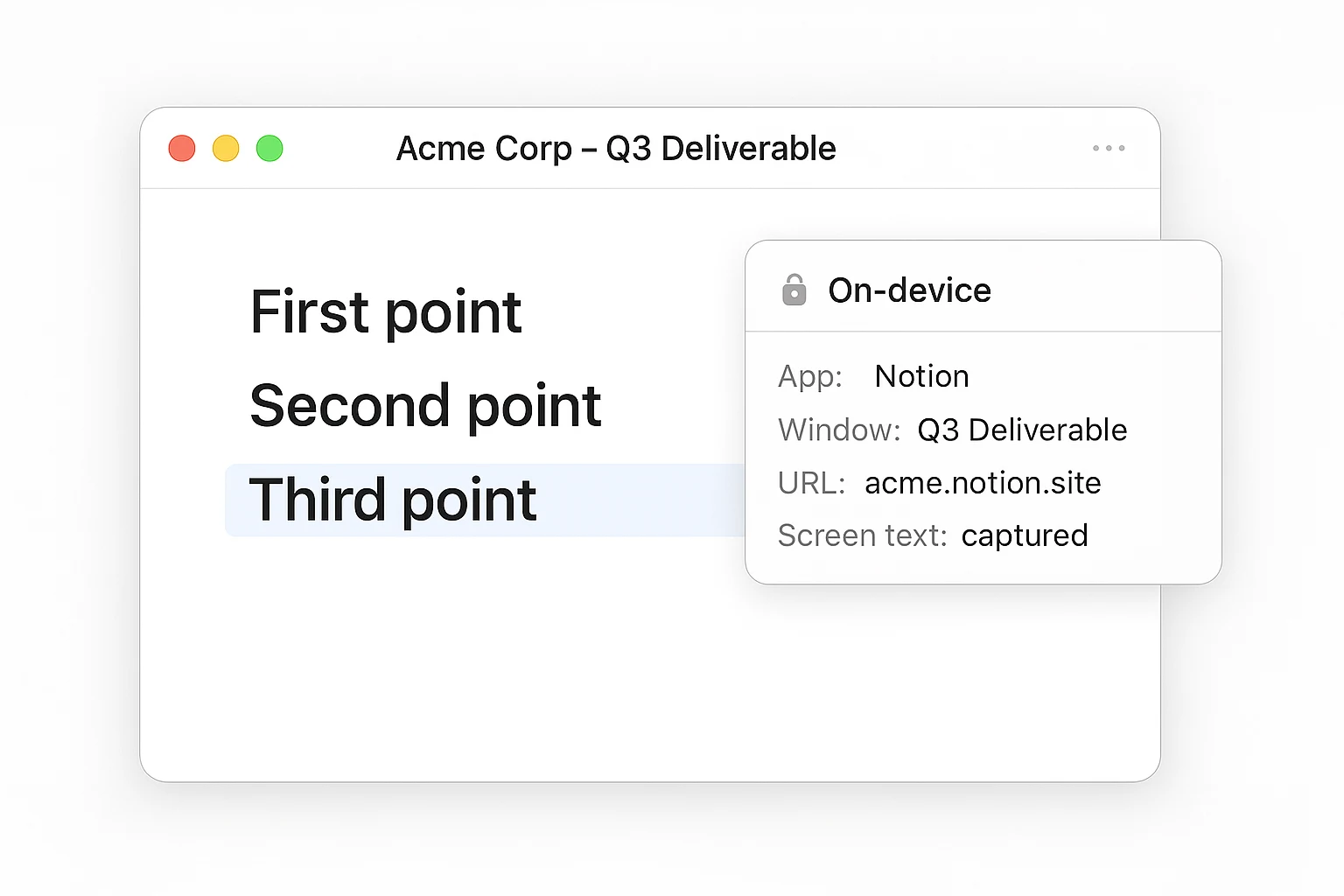
Not just the app or window title — the actual content on screen.
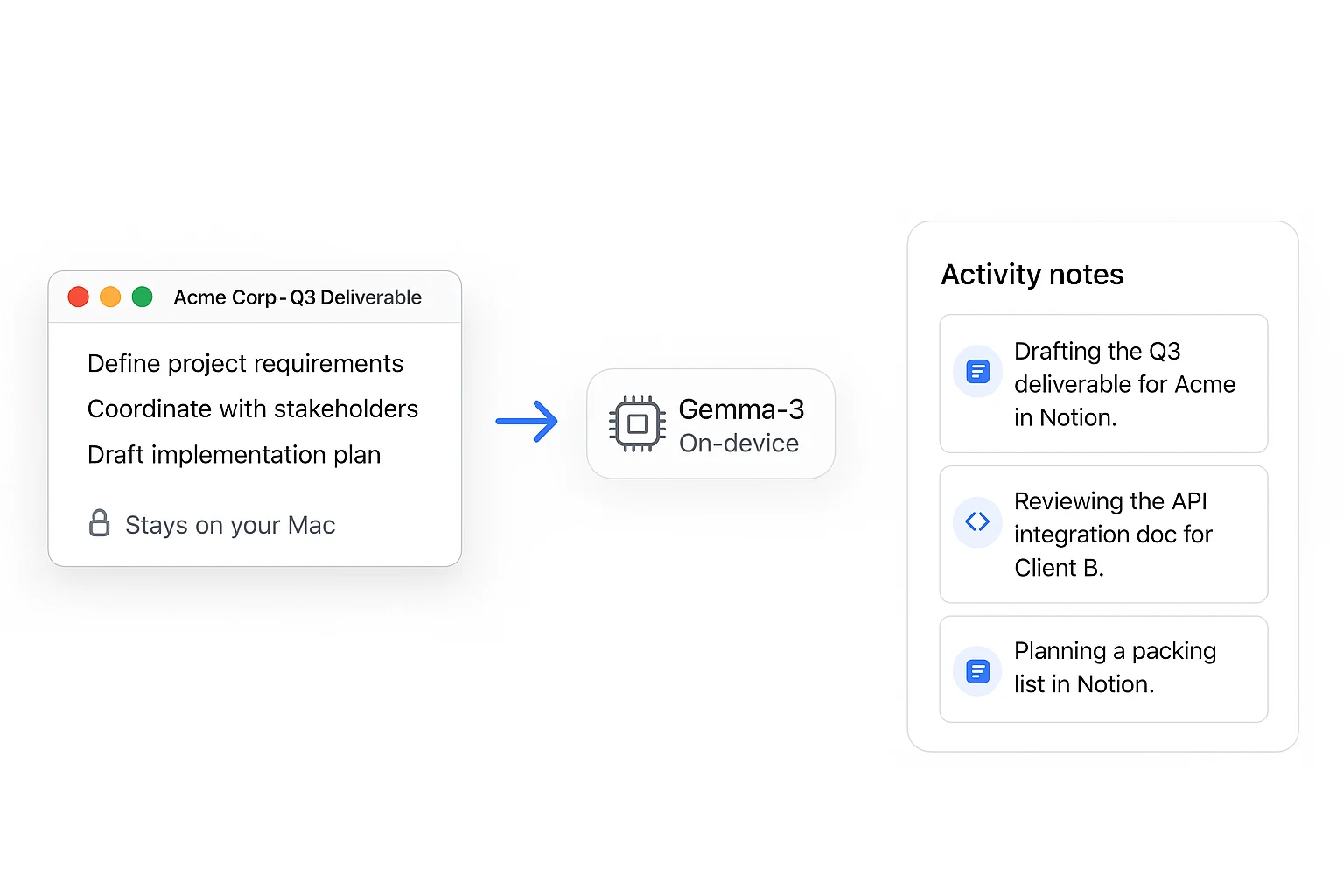
That's what tells a client document apart from a personal one, even inside the same app. This step happens on-device — nothing leaves your Mac yet.
Step 2
A local, fine-tuned model turns what it read into one short activity note — still on your device.
Step 3
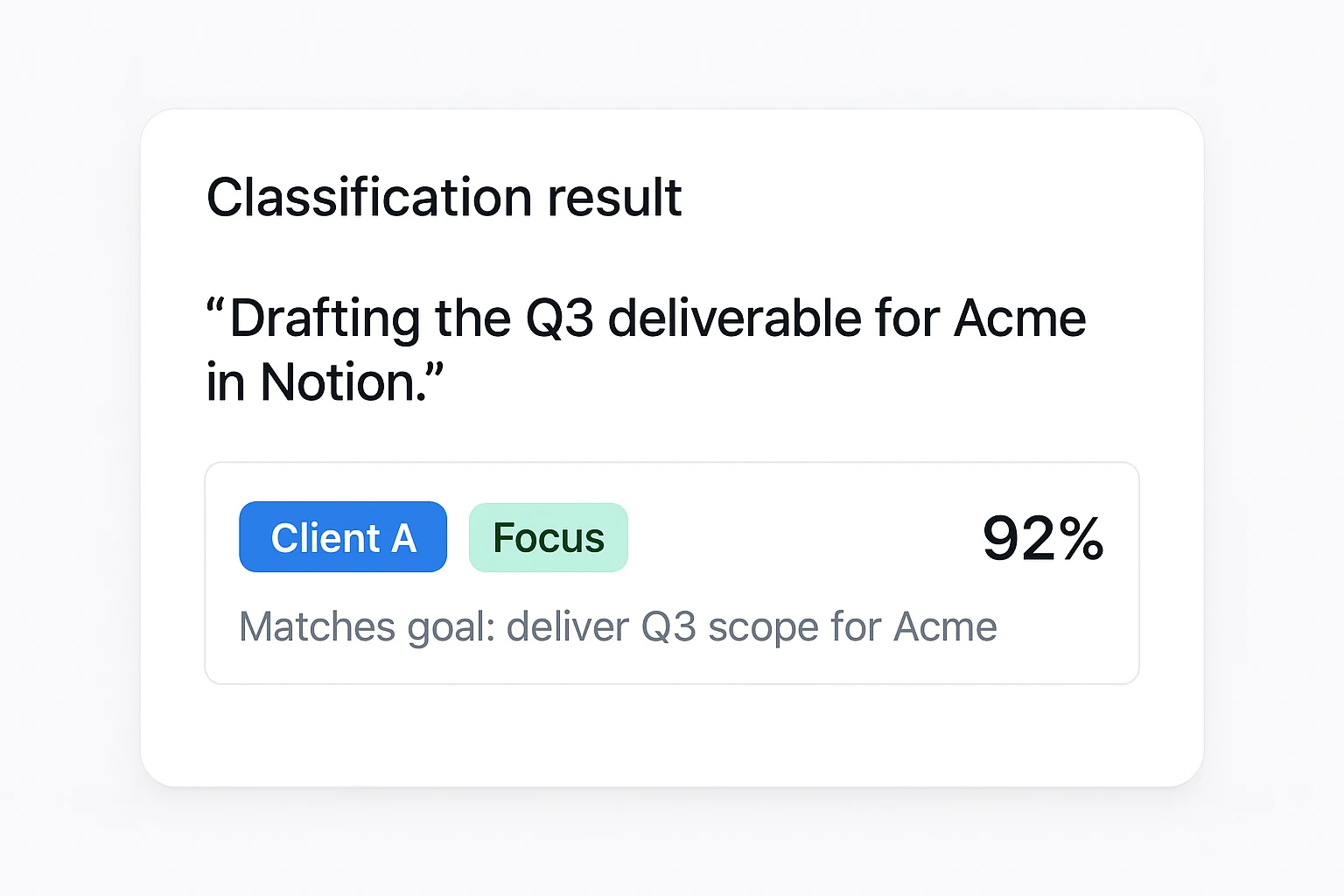
That note, plus window and URL context, is what gets scored — against the goal you set for that project.
Not a generic app category — that's what makes it more accurate than app-based tracking.
Step 4
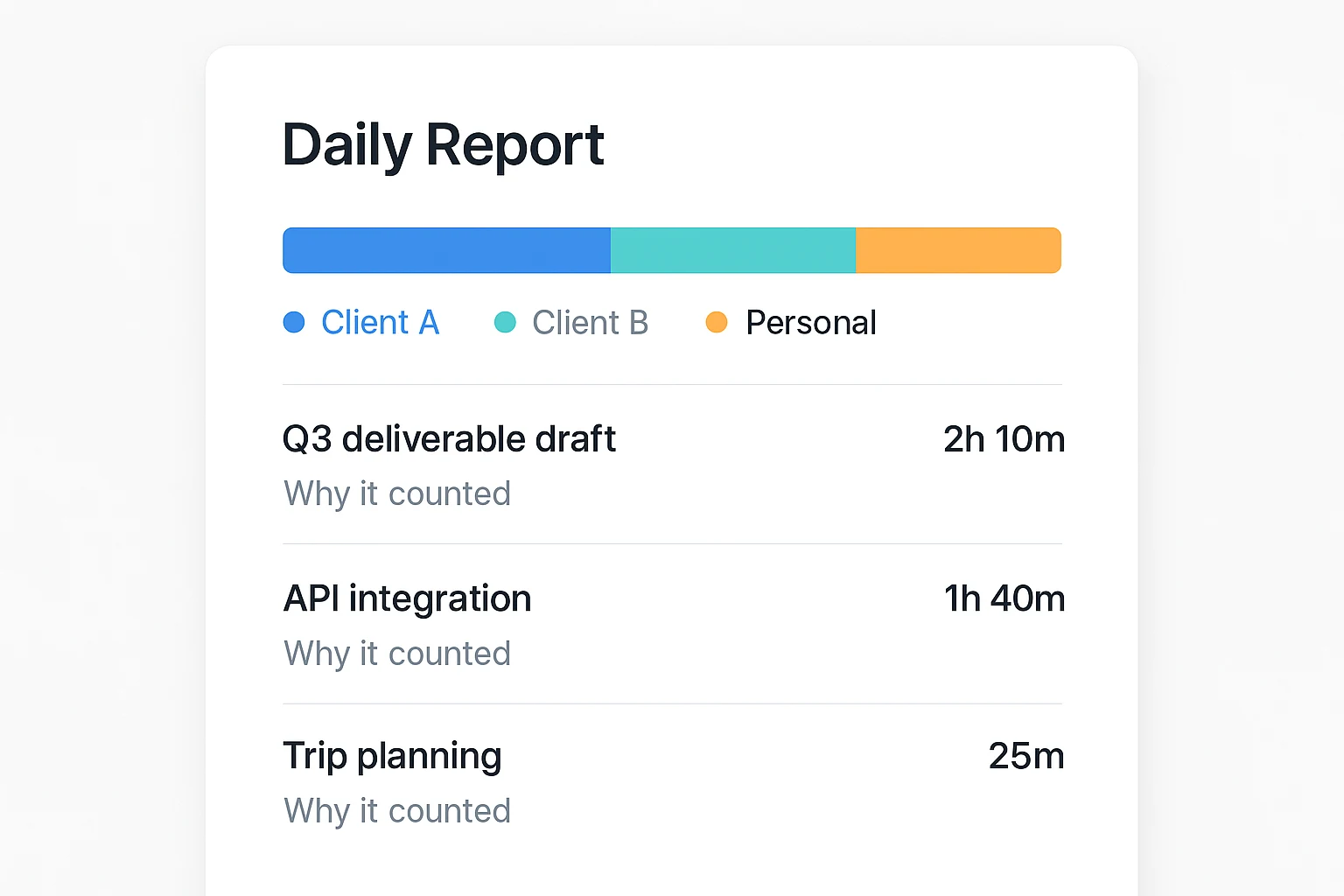
Daily and weekly reports show what counted, and why — broken out by project.
Privacy by design
macOS will ask you to grant Screen Recording access — that's what lets Kloy read your screen in the first place.
Here's exactly what that permission does, and doesn't, let out of your Mac.
Local OCR only. No screenshot, video, or raw screen text is ever captured or sent — not to Kloy, not to anyone.
An on-device model turns what it read into a single short activity note. That note — not your screen — is what gets classified.
Screen Analysis stays off until you turn it on. Flip it back off anytime — nothing is read until you say so.
Password managers, banking apps, and other sensitive windows are excluded before anything else happens.
Your focus definition
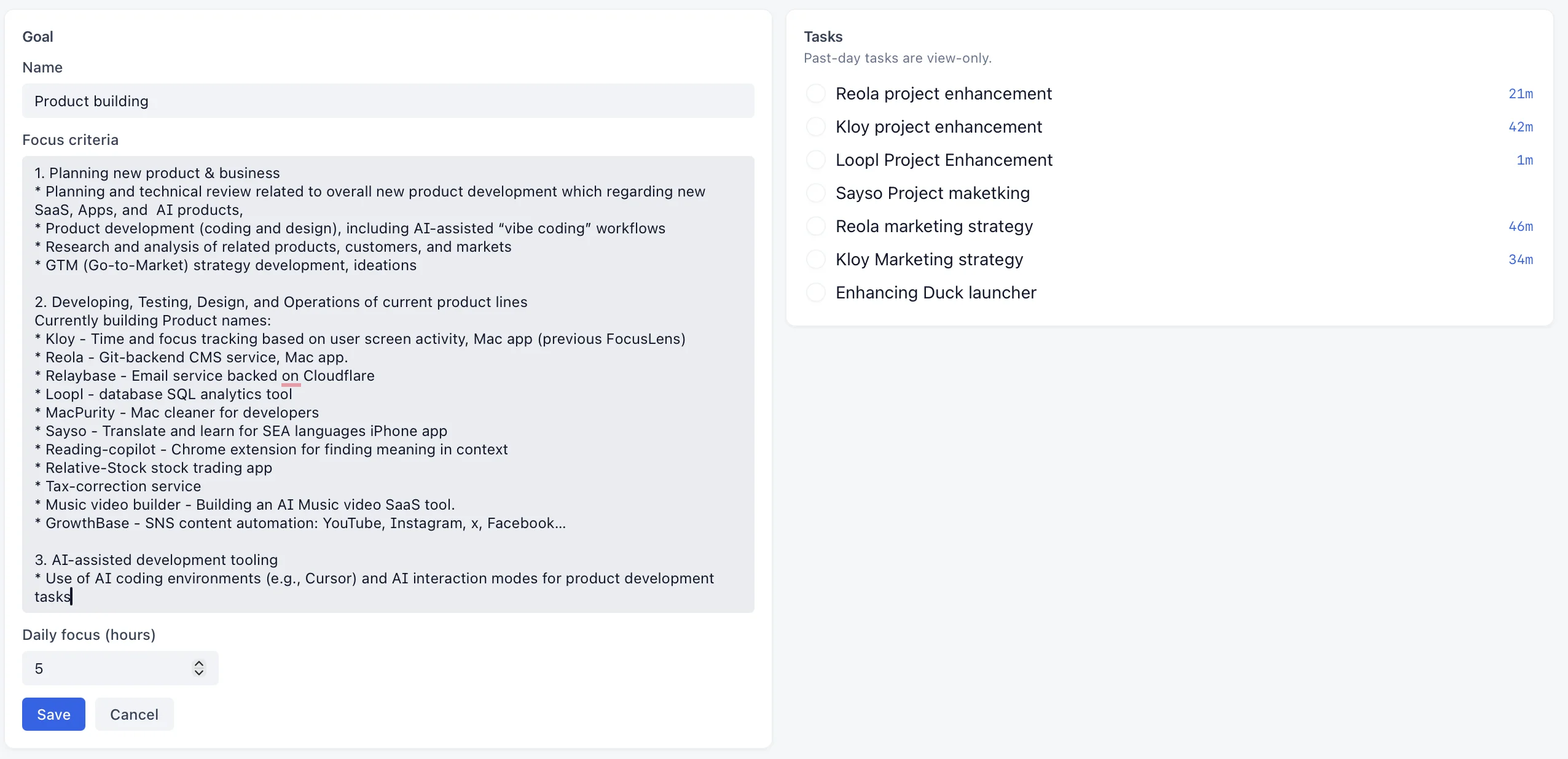
Set a goal for each client or project — personal work counts too.
Every moment gets scored for relevance to that goal, not for which app happened to be open.
Plain language, written once per project, compared against every activity.
An hours target per project, shown in Performance and the title bar.
On-target work counts. Unrelated time — even in the same app — doesn't.
Tasks
Add today's tasks, mark one active, and keep working — Kloy tracks the rest and matches it back automatically.
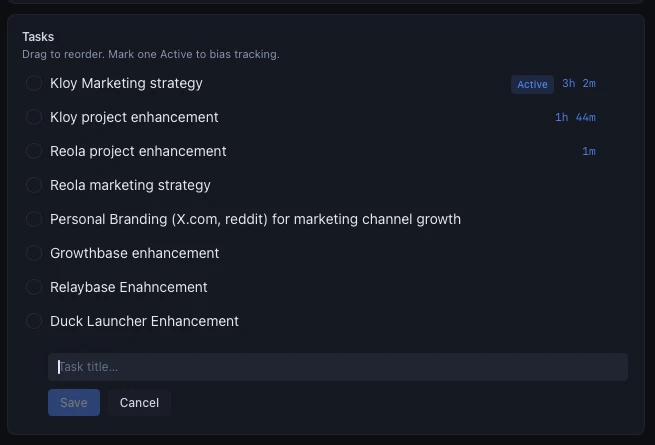
Matched automatically
Every classified activity links back to a task, so you always know what's eating your day, and which client or project it belongs to.
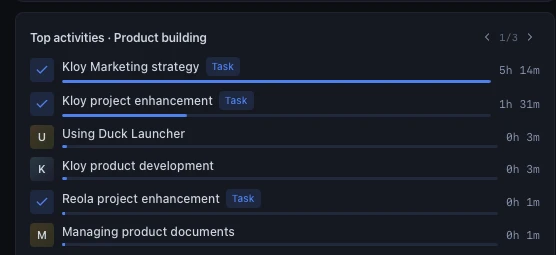
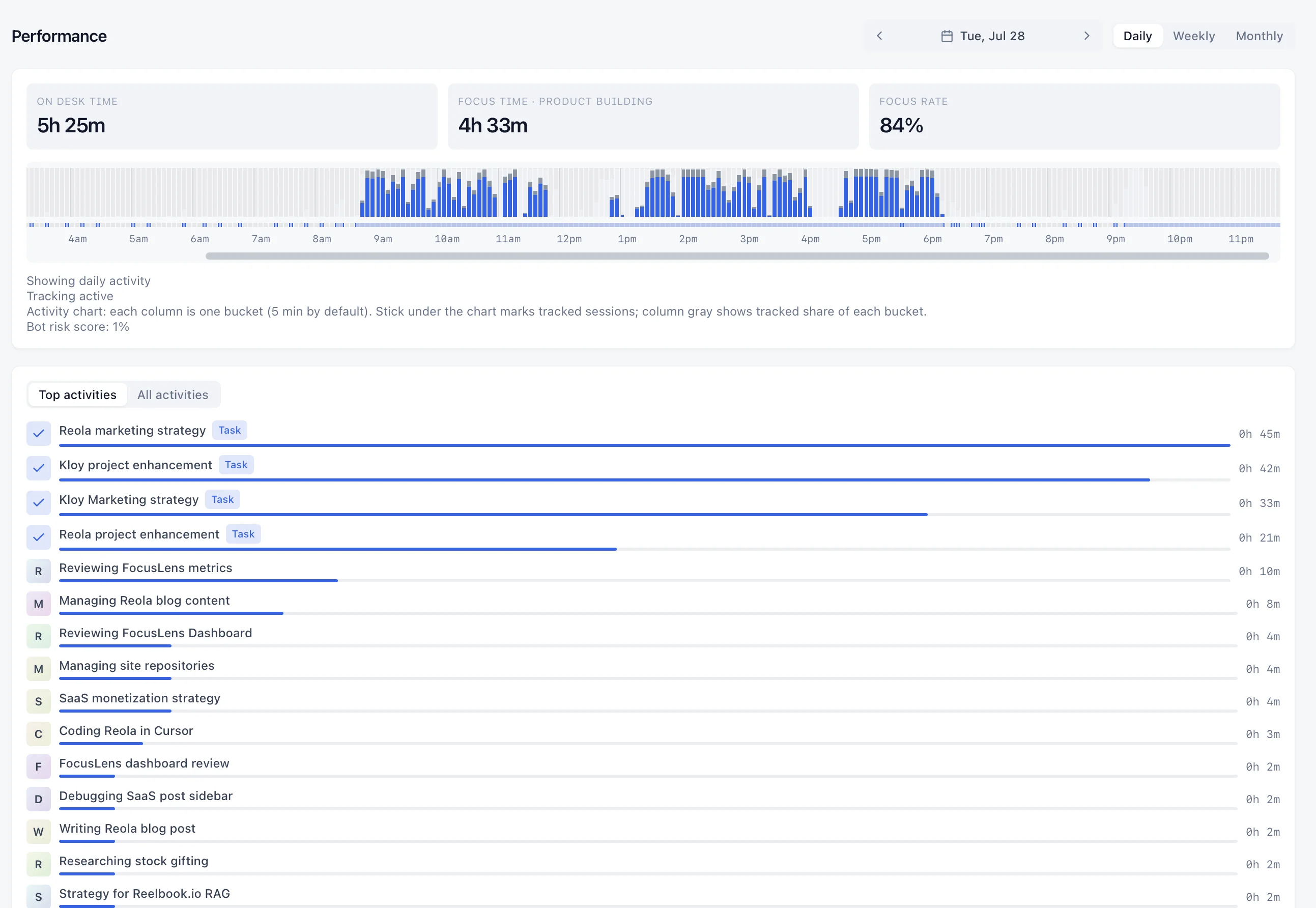
Performance detail
Active time, focus rate, and a per-app breakdown of related vs. unrelated work for each project. Spot drift without opening a spreadsheet.
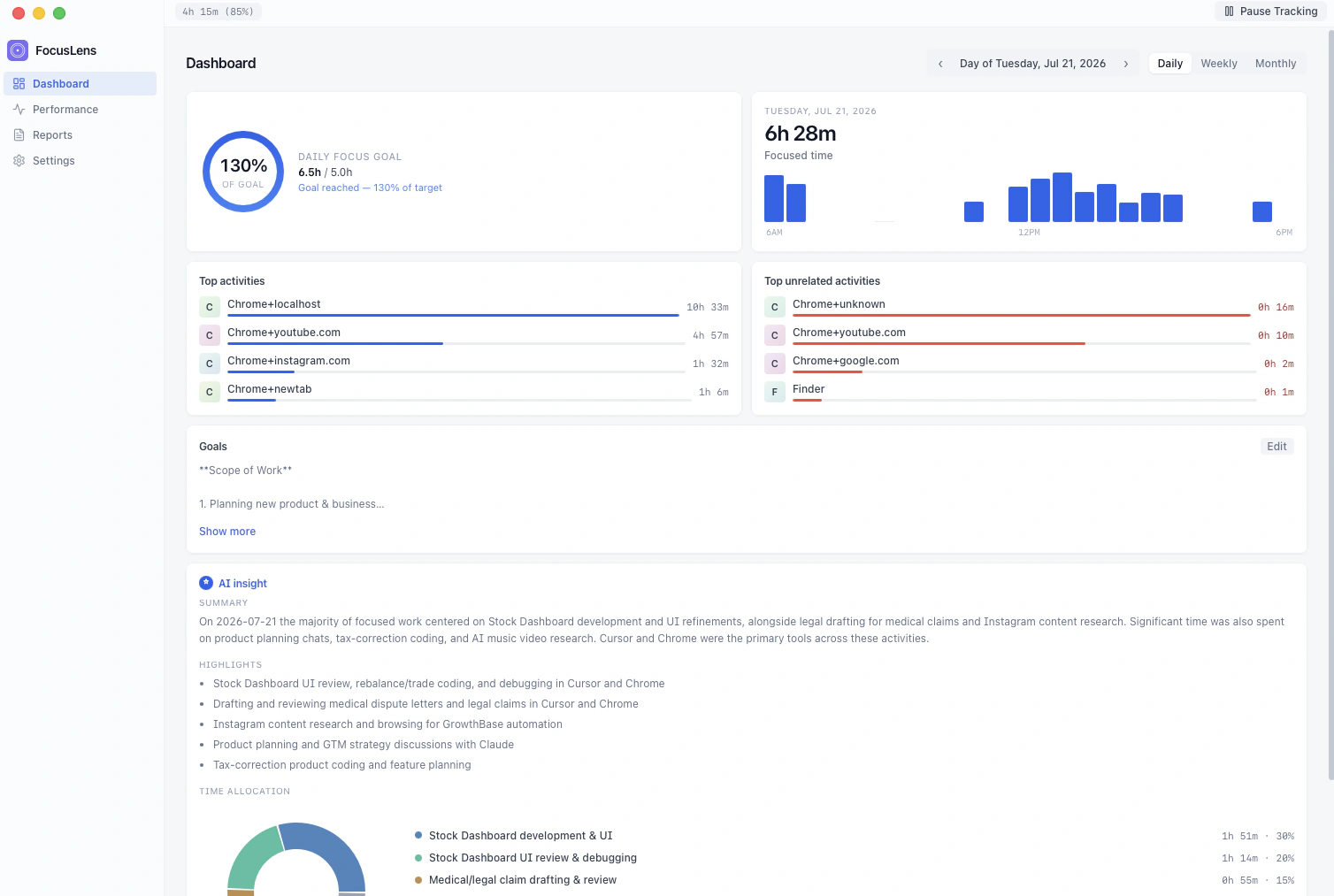
Active time, focus time, and focus rate for the project and day you pick.
Green for on-target samples, red for unrelated — bucket by bucket, even within the same app.
Where the minutes went, split into focus-related and unrelated — per project.
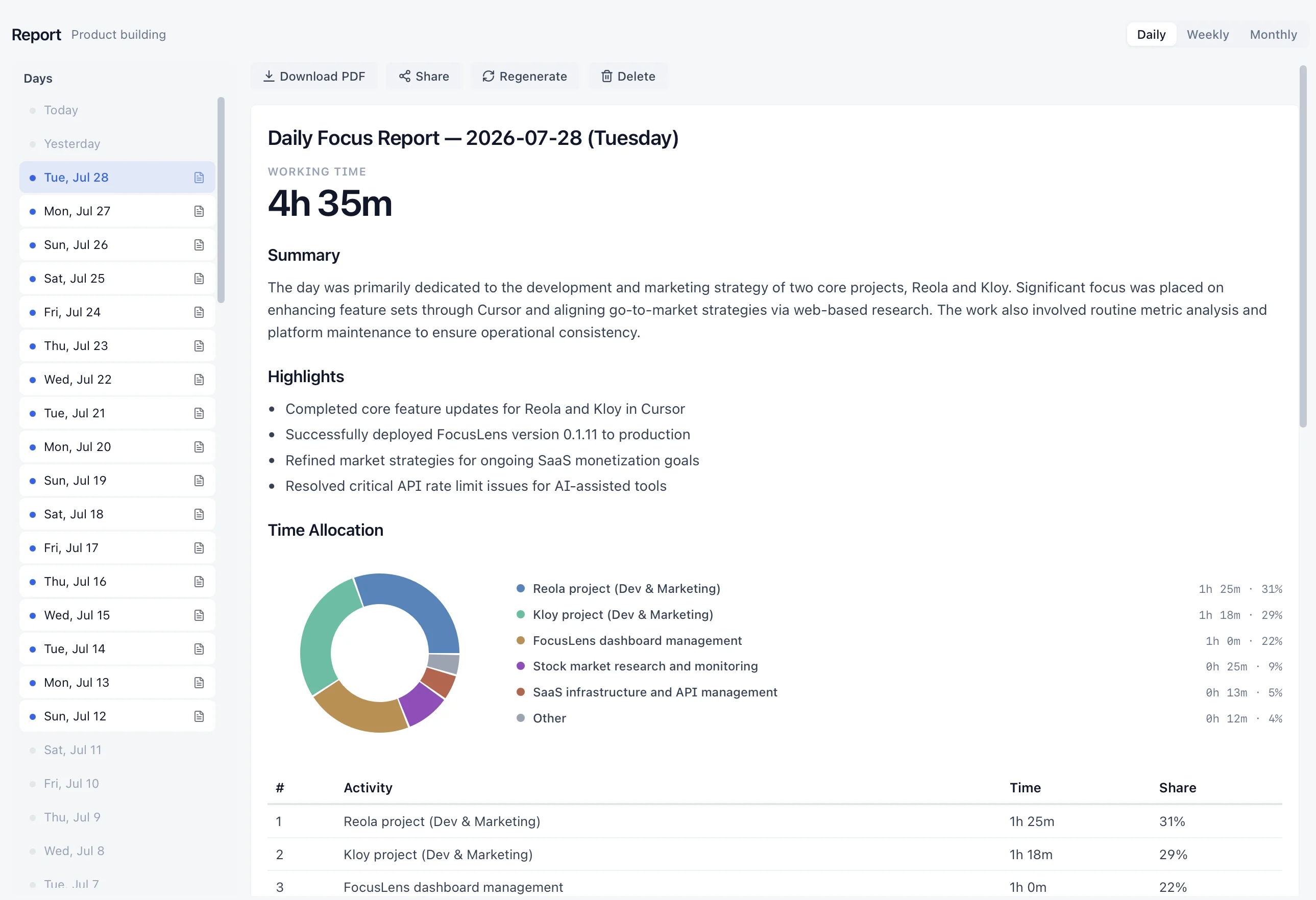
Focus reports
Every entry ties back to a project and a reason — numbers you can put on an invoice without re-checking your memory.
A paginated summary you can keep, or attach to a client invoice.
A frozen, read-only snapshot — nothing editable after the fact, if a client wants to see the breakdown.
Minutes per activity, computed from tracked activity — never invented, never rounded up from memory.
Who it's for
Multiple clients, a side project, and everything in between — tracked correctly without you managing a timer.
Freelancers billing multiple clients · Consultants tired of app-based mis-classification · Anyone who's given up on manually toggling a timer
FAQ
The questions people ask before they trust the numbers.
Pricing
Join the waitlist before launch and get 6 months of full access as an early-access perk. After that, Personal covers tracking, reports, PDF export, and verified links — $14/mo list price ($9/mo billed yearly). While Kloy is in pre-launch closed beta, it's discounted to $8/mo ($5/mo billed yearly). Beta subscribers keep a 20% loyalty discount for as long as they stay subscribed after general availability.
Beta price: yearly $5/mo · monthly $8/mo — before general availability