
10 Best AI Time Tracking Software Reviewed in 2026
An in-depth 2026 review of the 10 best AI time tracking tools — automatic capture, privacy trade-offs, pricing, and honest pros and cons for freelancers, agencies, and remote teams.
"AI time tracking" got attached to almost every timer app in the last two years, and most of that labeling is marketing rather than architecture. A genuine AI layer changes what the tool actually does — it categorizes background activity into client and project buckets without you touching a timer, drafts a timesheet you only need to approve, or flags an anomaly a human reviewer would have missed. A relabeled manual timer with a chatbot bolted onto its settings page is not that, no matter what the landing page says.
This review covers ten tools that show up repeatedly in 2026 buying shortlists, with an honest look at what each one's "AI" actually does, where it's genuinely useful, and where it's closer to a marketing layer over the same start/stop timer that's existed for a decade. Pricing below reflects each vendor's published rates as of August 2026 — check the vendor's own pricing page before buying, since these numbers move.
How we evaluated each tool
Five criteria, in order of what actually changes your day-to-day experience:
- Automation quality — does it genuinely eliminate manual timers and note-taking, or just suggest entries you still have to build yourself?
- AI usefulness — is there a real categorization/reasoning layer, or is "AI" a single feature bolted onto a conventional tracker?
- Privacy model — does raw activity data stay local and user-controlled, or does it default to a manager-facing surveillance posture (screenshots, keystroke logs, GPS)?
- Client/billing readiness — can the output go straight into an invoice or a client update, or does it need manual cleanup first?
- Pricing and platform fit — what does it actually cost at the team size and OS you're on, and is there a workable free tier?
Quick comparison
| Tool | Best for | Auto-capture | Screenshots | Starting price (2026) |
|---|---|---|---|---|
 Timely Timely |
Agencies wanting AI-drafted timesheets | Full, passive | No | $9/user/mo (annual) |
 Rory Rory |
Freelancers wanting focus + billing in one | Full, passive | No | ~$13/mo |
 Memtime Memtime |
Privacy-first / NDA-bound consultants | Full, local-only | No | ~$12/user/mo (annual) |
 Hubstaff Hubstaff |
Remote teams needing proof-of-work | App/URL logging | Optional | $4.99/user/mo |
 Time Doctor Time Doctor |
BPO / workforce analytics | App/URL + screenshots | Yes, default | ~$7–8/user/mo |
 TimeCamp TimeCamp |
All-in-one AI tracking on a budget | Full, passive | Optional | Free (AI ~$6/user/mo add-on) |
 Toggl Track Toggl Track |
Simple manual control, small teams | Suggestions only | No | Free (5 users) / $9/user/mo |
 Clockify Clockify |
Unlimited free users | Suggestions only | Optional (paid) | Free forever |
 RescueTime RescueTime |
Personal focus habits | Full, passive | No | Free Lite / $9/mo |
 Reclaim.ai Reclaim.ai |
Calendar-driven AI scheduling | N/A (not activity capture) | No | Free Lite / ~$10/seat/mo |
1. Timely — Best for agencies that want AI-drafted timesheets
Timely built its entire pitch around one job: get rid of the timesheet as a task a human has to do. Its Memory app runs in the background on desktop, silently recording every app, document, and website you touch throughout the day — no start/stop timer required. At the end of the period, AutoSheet turns that raw activity into a draft timesheet, already allocated to the right project and client, and you approve it in a click instead of reconstructing your week from memory.
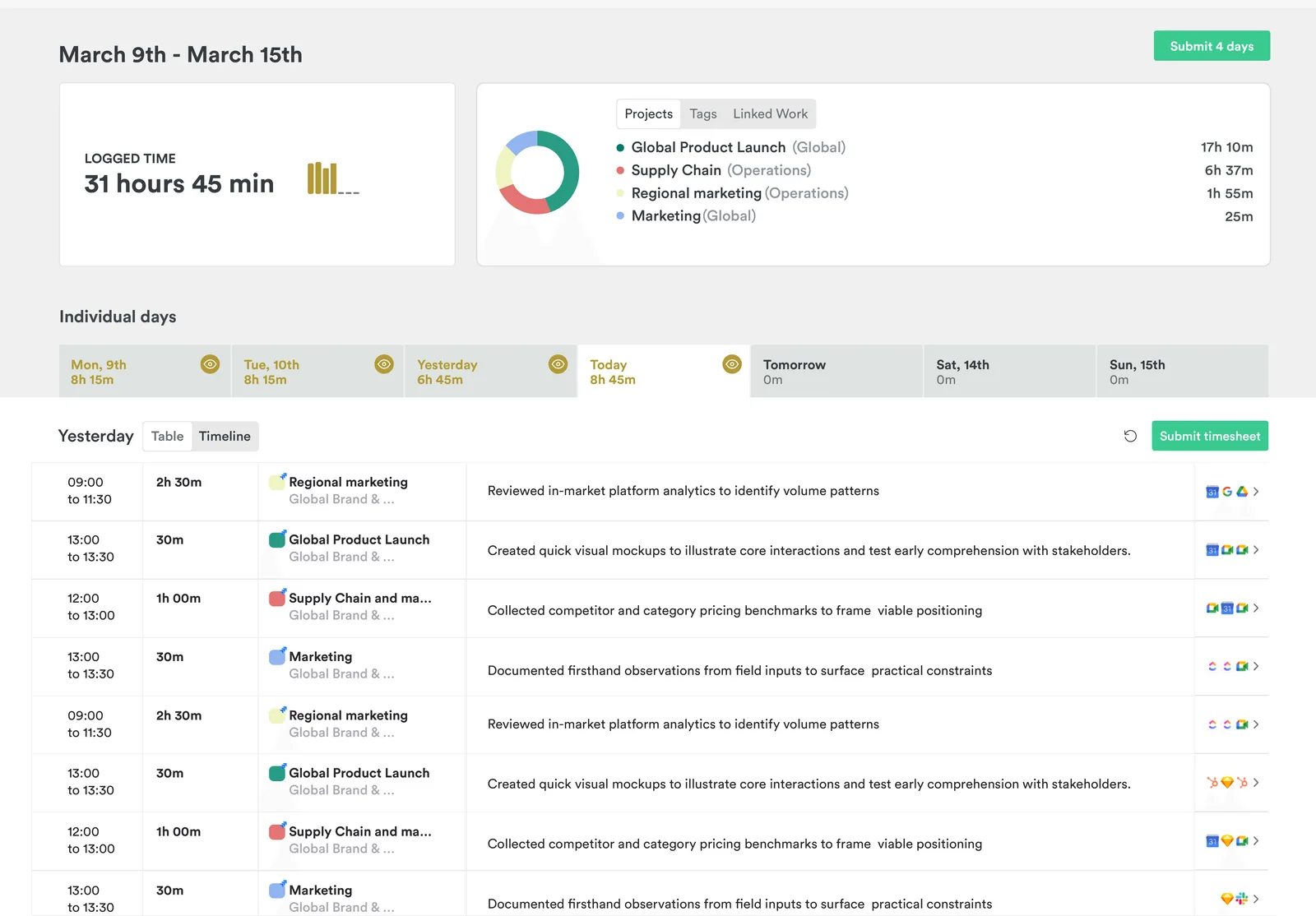
What the AI actually does: Memory captures activity locally, then Timely's AI drafts natural-language timesheet entries and assigns them to the correct project. AutoSheet has recently extended to full one-click weekly approvals, not just daily.
Pros
- Genuinely automatic capture — nothing to remember to start
- Explicitly "anti-surveillance": no screenshots, no keystroke logging, and users control what's visible before it's shared
- AI project-attribution is accurate enough in practice that review, not re-entry, is the main task
- Strong G2 ratings and enterprise features (SSO, ISO 27001, GDPR-ready) for teams that need compliance sign-off
Cons
- No permanent free plan — 14-day trial only
- Starter plan caps out at 5 users and 20 projects, which forces an early jump to Premium ($16–20/user/mo) for anything past a tiny team
- AI drafts still need a human review pass; it's not "zero-touch," it's "one-click instead of one-hour"
Pricing (2026): Starter $9/user/mo billed annually ($11 monthly), capped at 5 users/20 projects. Premium $16/user/mo annually (50 users, unlimited projects). Unlimited $22/user/mo annually. No free tier.
Best for: Small-to-midsize agencies and consultancies where timesheet non-compliance is an active problem and the team is willing to pay a premium to make it disappear.
2. Rize — Best for freelancers who want focus analytics with billing
Rize leans further into the "focus" side of AI time tracking than any other tool on this list that also does client/project billing. It runs as a lightweight desktop app, reads the foreground window, and uses machine learning to assign each session to a client or project based on window titles, URLs, and learned patterns — with zero screenshots at any point. Its differentiator is that it doesn't stop at billable hours; it also scores deep work and flags burnout risk from the same underlying activity data.
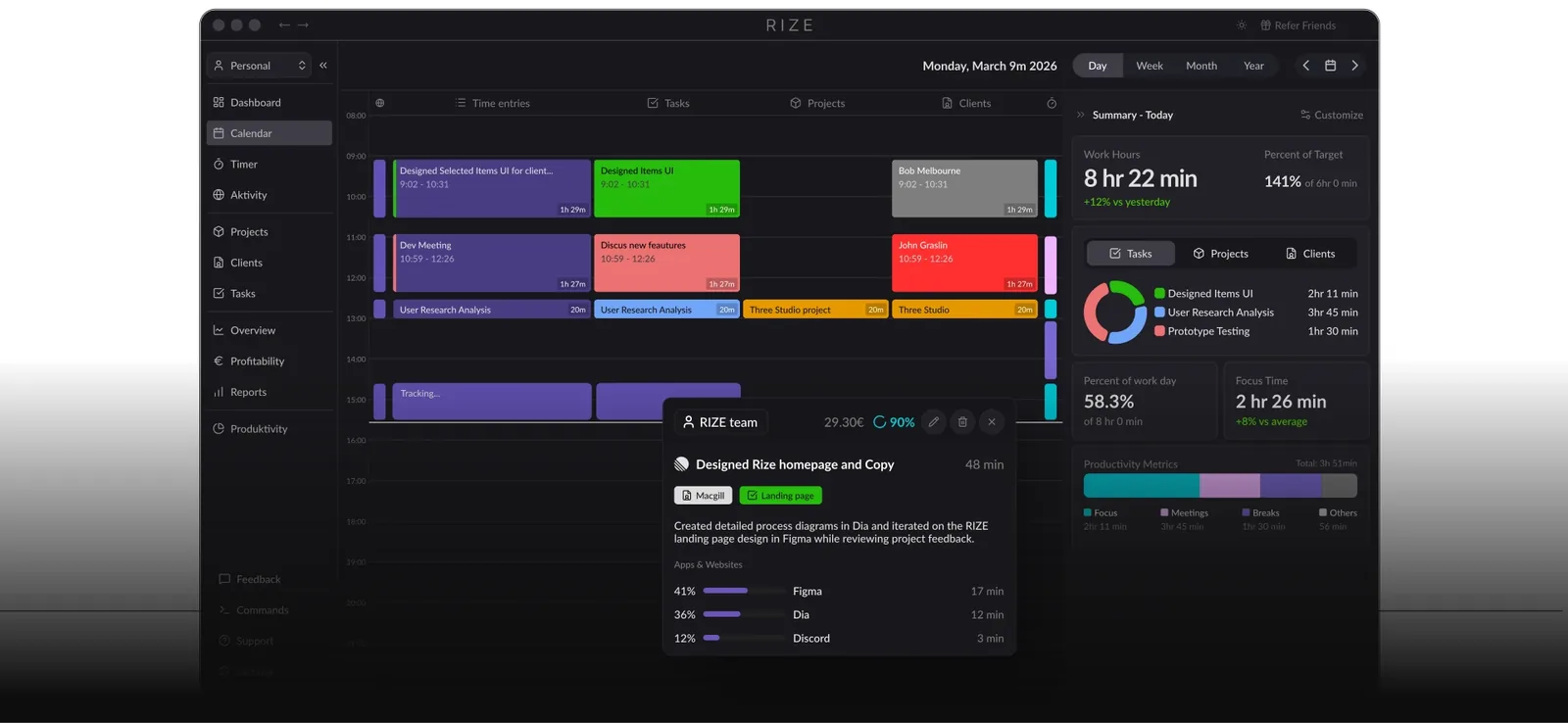
What the AI actually does: ML-based categorization by client/project from window titles and URLs, plus a focus/deep-work scoring layer and an MCP integration that lets you query your own time data in plain English from inside Claude or ChatGPT.
Pros
- No screenshots, no keystroke logging, ever — a genuinely private capture model
- Focus and deep-work scoring is a real differentiator most competitors don't attempt
- Ships fast — multiple product updates most months in 2026, including live time entries and admin-managed entries for small teams
- MCP chat interface for querying your own tracked data is a rare, genuinely useful AI feature rather than a marketing bullet
Cons
- Positioned for individuals and small teams — not built for enterprise workforce management or large-scale reporting
- Marketing language leans hard into "best in category" claims across its own comparison pages, which is worth discounting when evaluating objectively
- Fewer native integrations than Timely or TimeCamp
Pricing (2026): From roughly $13–15/mo for individuals; team pricing scales per seat. No meaningful free tier beyond a short trial.
Best for: Solo consultants and small agency owners who want billing-ready categorization and personal focus/productivity insight from the same tool, without installing anything that looks like monitoring software.
3. Memtime — Best for privacy-first consultants and NDA work
Memtime's whole design argument is that "automatic" and "cloud-processed" don't have to be the same thing. It reconstructs a visual timeline of your day — every app, document, and website — entirely on-device, and you convert segments of that timeline into billable entries yourself. Nothing about your raw activity is ever transmitted for AI processing off your machine, which is precisely why it's the default recommendation for lawyers, consultants, and anyone under an NDA that would make cloud-processed activity capture a contract violation.
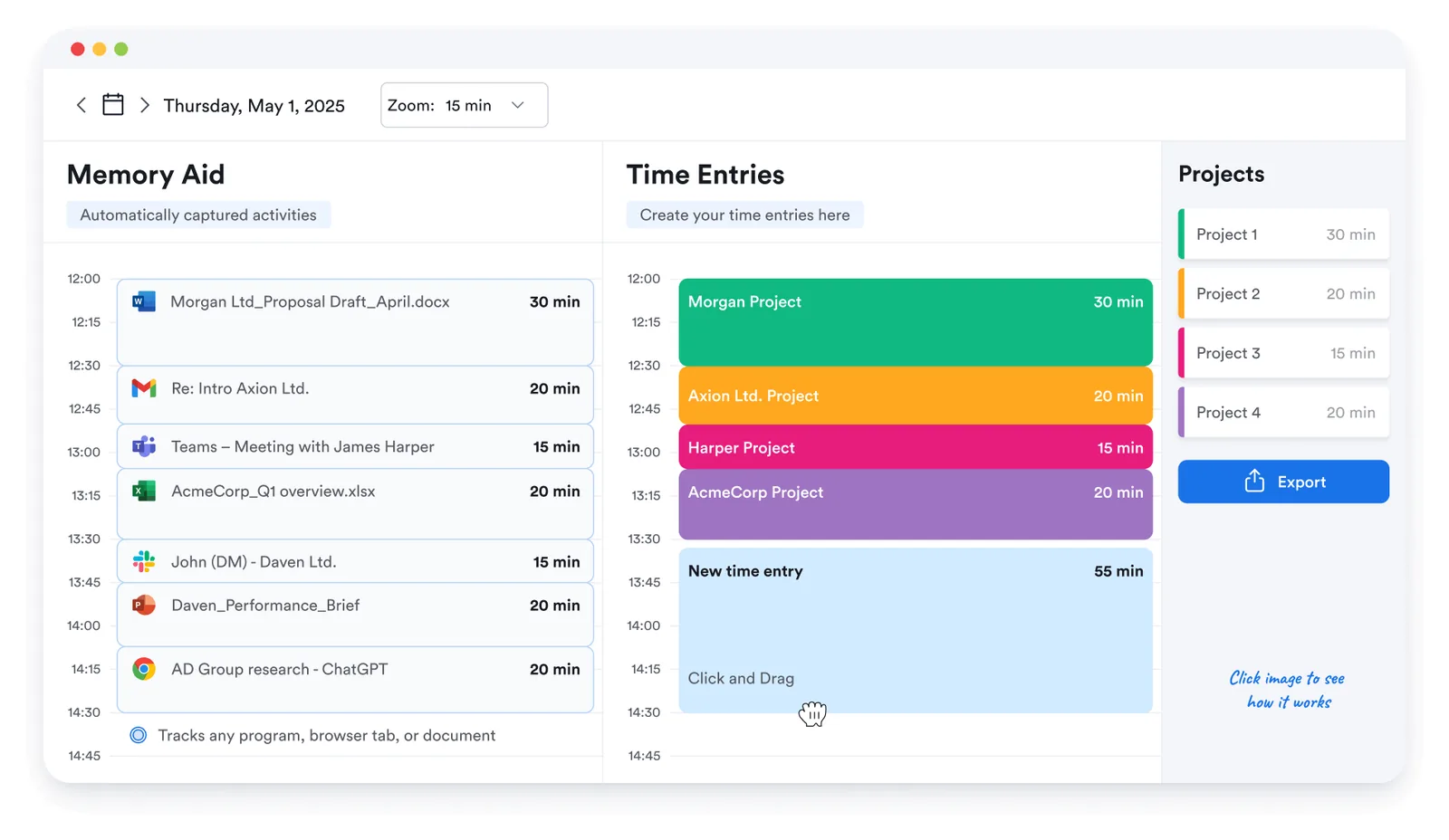
What the AI actually does: Less "AI categorization" and more "automatic timeline reconstruction" — it's closer to a smart local log than a machine-learning classifier, which is a meaningful distinction worth knowing before you buy expecting Timely- or TimeCamp-style auto-drafted entries.
Pros
- The strongest privacy story on this list — 100% local processing, no cloud analysis of activity content
- Cross-platform: macOS, Windows, and Linux, which most competitors don't fully cover
- No screenshots at any tier, at any price
Cons
- Sits at the higher end of the price range ($12–14/user/mo) without built-in invoicing
- The "AI" label oversells what's closer to a local activity-reconstruction engine than a true classification model — don't expect Timely-style AI-drafted narrative entries
- Smaller integration ecosystem than Rize or TimeCamp
Pricing (2026): Personal plans from roughly $12/user/mo (2-year commitment) up to ~$14/user/mo annual; Team plans run higher. No permanent free plan; 14-day trial.
Best for: Legal, consulting, and any contractor relationship where a client contract explicitly prohibits cloud-based activity monitoring.
4. Hubstaff — Best for remote teams that need proof-of-work
Hubstaff is the tool most often reached for when a manager, not a freelancer, is the one buying. It logs app and URL usage automatically, calculates an activity score from mouse/keyboard signals, and offers optional periodic screenshots and GPS tracking for field teams. Its AI Insights add-on layers workforce analytics and anomaly detection on top of that raw activity data — flagging unusual patterns across a distributed team rather than categorizing any single person's work.
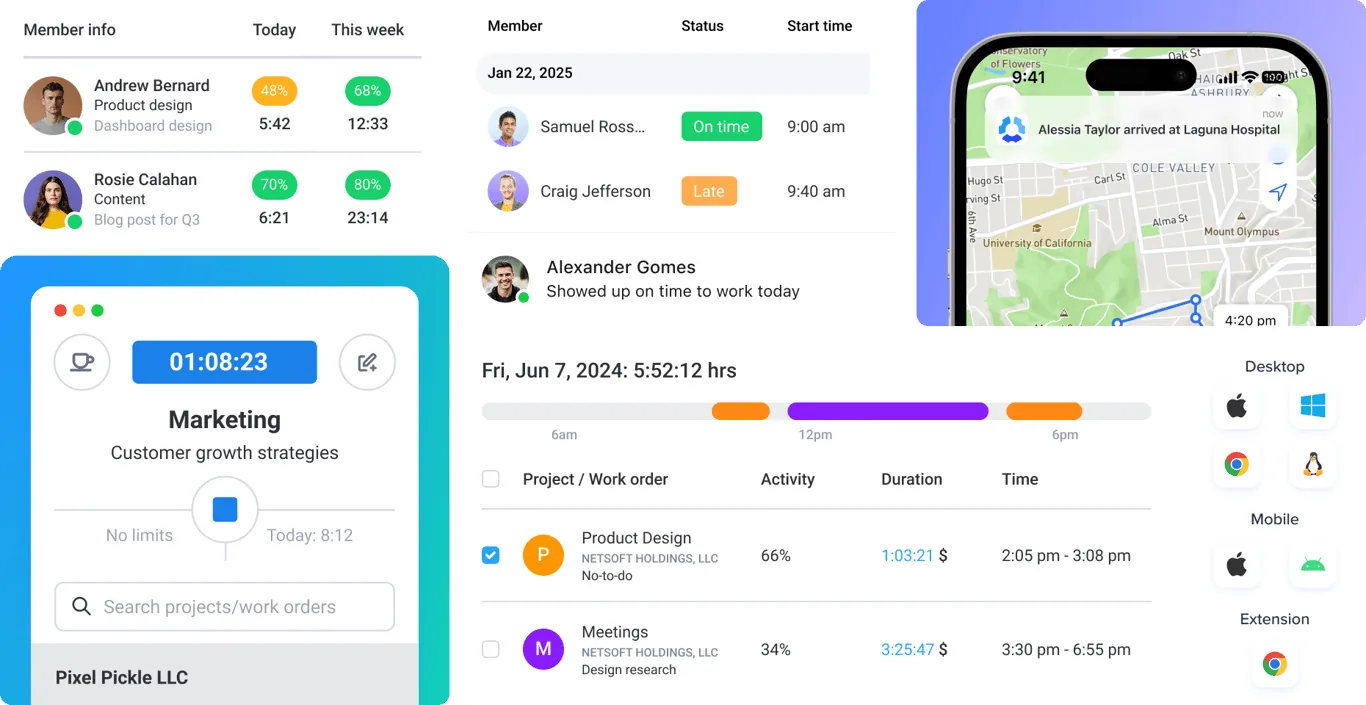
What the AI actually does: AI Insights (an add-on, not core) analyzes aggregate activity data for anomalies and productivity trends across a team — it's an analytics layer on top of monitoring data, not an automatic categorization engine for individual entries.
Pros
- One of the cheapest entries on this list at $4.99/user/mo
- 60+ integrations, strong for agencies managing distributed subcontractors who need billing evidence
- Screenshot and GPS evidence has a real, defensible use case for field-service or subcontractor billing disputes
Cons
- The default posture is monitoring, not automatic AI categorization — the core product is closer to a 2015-era time tracker with an analytics add-on than a ground-up AI tool
- Screenshot/activity-score features create real trust friction with knowledge workers and creative teams; research on electronic monitoring consistently links it to lower trust and higher reported stress
- "AI" features are gated to the Insights add-on rather than built into the core product
Pricing (2026): Free plan limited to 1 user. Starter ~$4.99/user/mo, Grow ~$7.50/user/mo, Team ~$10/user/mo (annual billing).
Best for: Agencies with subcontractors across time zones who need hard evidence for billing disputes and have already accepted the monitoring trade-off with their team.
5. Time Doctor — Best for workforce analytics and BPO operations
Time Doctor is built for the operations leader managing a large distributed workforce, not the individual contributor. Its core loop is activity tracking plus screenshots by default, and its AI layer — Benchmarks AI — compares performance across roles, teams, and locations, flagging burnout risk and workflow bottlenecks before they show up in delivery metrics.
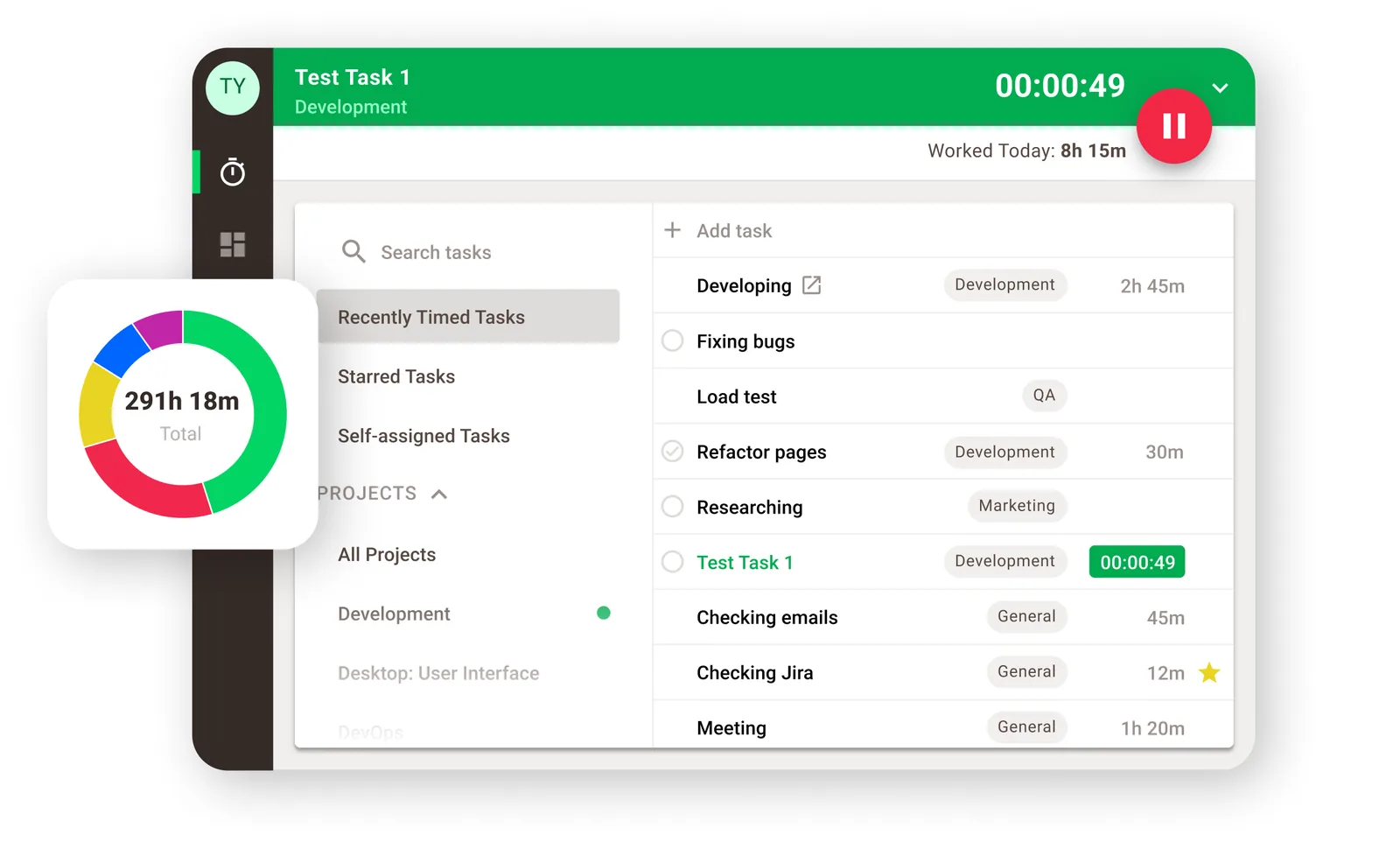
What the AI actually does: Benchmarks AI aggregates activity and time data to detect anomalies, benchmark performance against peers, and surface early burnout or misalignment signals across a workforce — again, an analytics layer over monitoring data rather than a per-entry categorization engine.
Pros
- Deep workforce analytics purpose-built for BPOs and large remote/hybrid operations teams
- Anomaly detection catches patterns a manager reviewing individual timesheets would likely miss
- Integrates with 60+ tools out of the box
Cons
- The heaviest monitoring posture of any tool on this list — screenshots are part of the default workflow, not an opt-in extra
- Explicitly built for oversight rather than individual productivity or client-facing trust — a poor fit if the goal is reassuring a client rather than managing headcount
- Pricing and depth genuinely make sense only past a certain team size; overkill for a solo freelancer or two-person agency
Pricing (2026): Starts around $7–8/user/mo on annual billing; 14-day trial, no permanent free plan.
Best for: Operations leaders at BPOs or large remote teams who need workforce-wide benchmarking, not individual contributors looking for a lightweight tracker.
6. TimeCamp — Best for all-in-one AI tracking on a budget
TimeCamp's AI angle is TIC — Time Intelligence Center — a background agent it markets as "autonomous, proactive, zero-touch." TIC watches apps, websites, document names, and calendar events, assigns time to the right project automatically, learns your patterns over time, and flags missing or misassigned entries before they become a billing gap. Unusually, the AI tracker itself is available on every plan, including free.
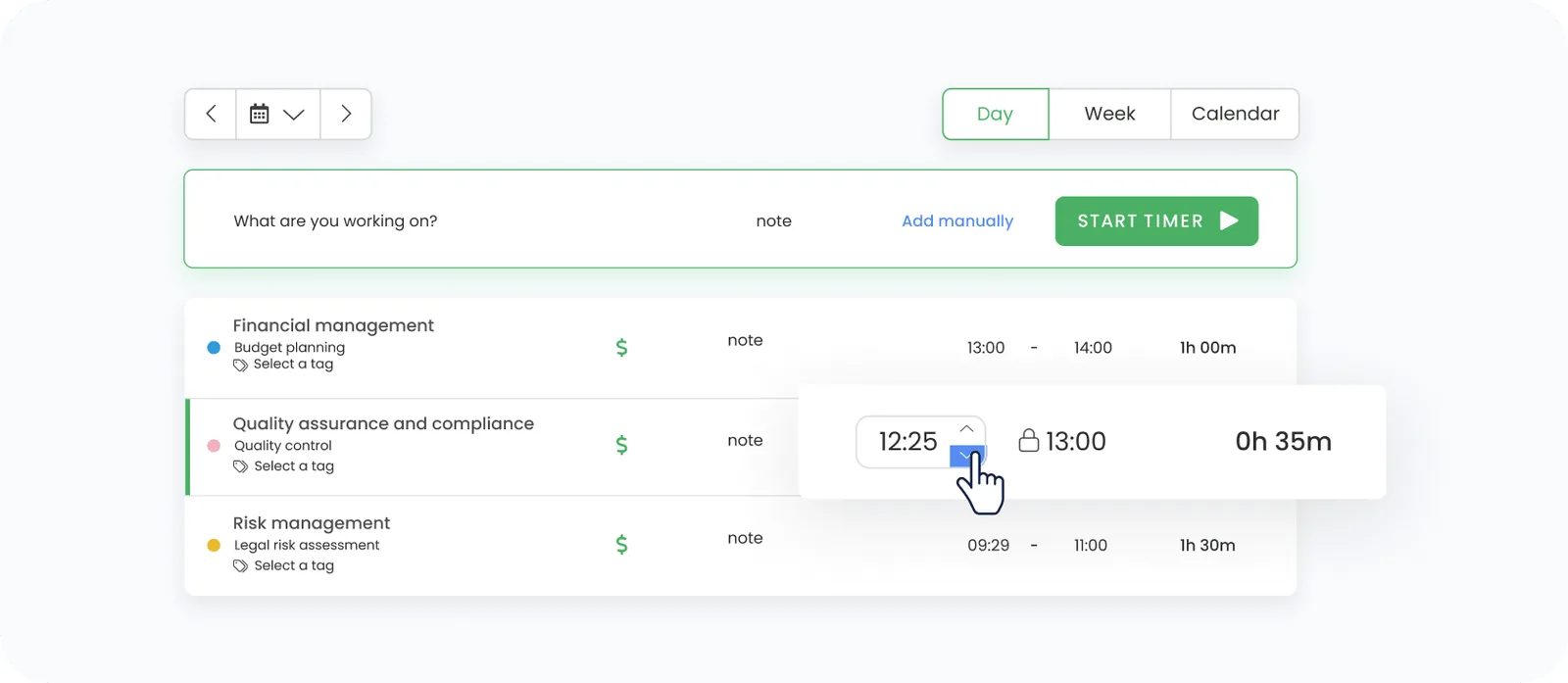
What the AI actually does: TIC runs continuously in the background, auto-assigns activity to projects with a claimed 90%+ accuracy after a learning period, and proactively flags anomalies — genuinely closer to Timely's automation model than to a bolted-on feature, and notably cheaper.
Pros
- AI time tracking is included on the free plan, not gated to a premium tier
- Cheapest paid entry point on this list ($3.99/user/mo for Starter)
- Enterprise-grade compliance (GDPR, SOC2, ISO) at a fraction of Timely's or Time Doctor's price
- Scales credibly from solo users to thousands-of-seats deployments
Cons
- AI usage is billed separately by token consumption (roughly $6/user/mo estimated on top of the plan price), which makes total cost less predictable than a flat per-seat number
- Reviewers consistently note the interface and settings are more complex to configure than Toggl or Clockify
- With so many toggles and add-ons, it's easy to under- or over-provision for what your team actually needs
Pricing (2026): Free plan includes core tracking and AI features. Starter $3.99/user/mo annual, Premium $6.99/user/mo, Ultimate $9.99/user/mo — plus an estimated $6/user/mo in AI token usage on top of any tier.
Best for: Budget-conscious teams from 5 to 500 people who want a genuine automatic-AI layer without paying Timely- or Time Doctor-level per-seat prices.
7. Toggl Track — Best for teams that want simple manual control
Toggl Track is the benchmark every other tool on this list gets compared against for simplicity — and it's included here specifically because so many teams shopping for "AI time tracking" end up here anyway, so it's worth being direct about what they're actually getting. Toggl's own reviewers are blunt about this: it has no AI-powered time tracking. What it calls "autotrack" is a background timeline of apps and websites you manually review and convert into entries — a helpful memory aid, not an automatic categorization engine.
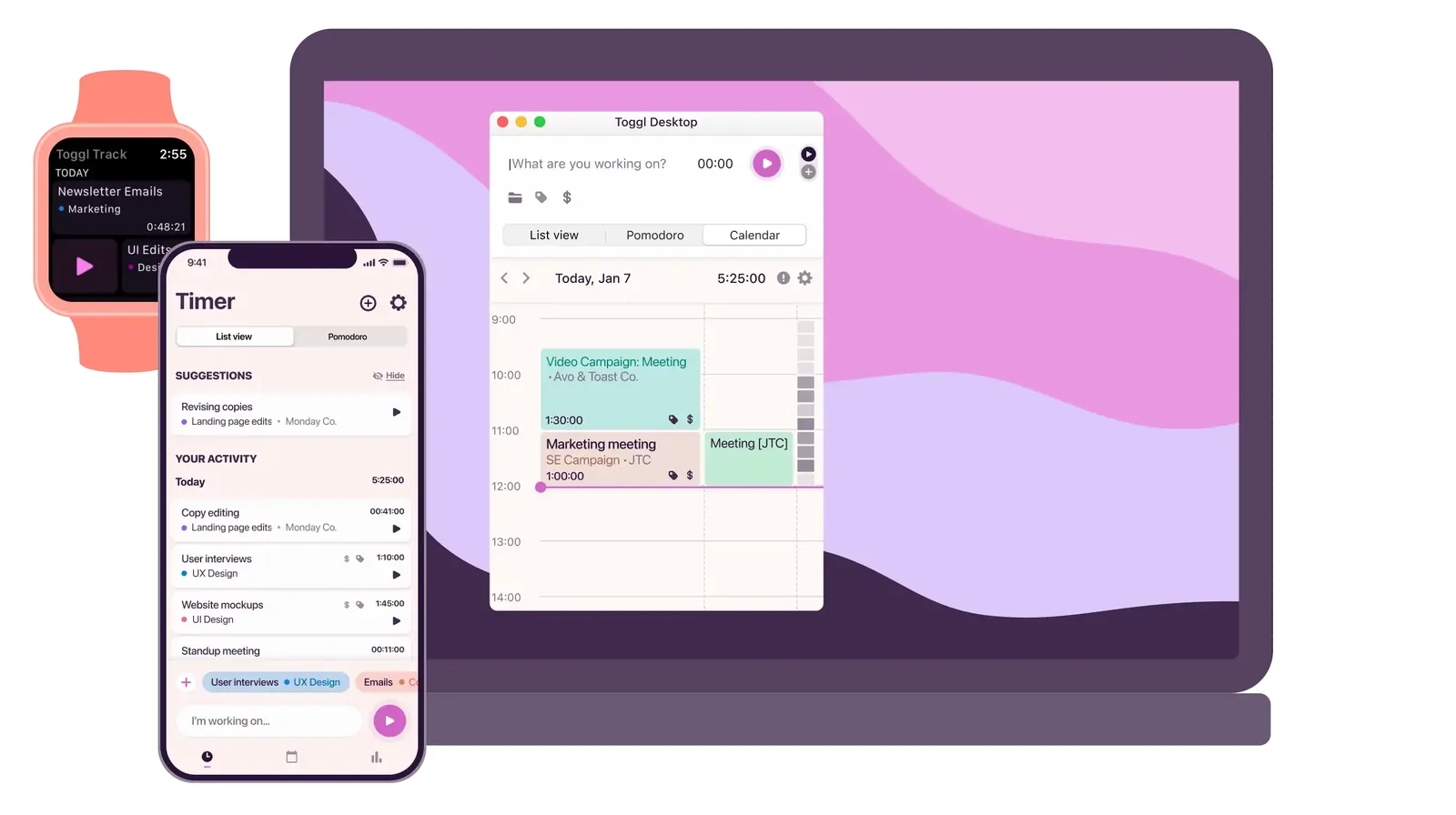
What the AI actually does: Nothing that qualifies as AI in the categorization or drafting sense. Autotrack silently timestamps app/website usage; a human still decides what becomes a billable entry.
Pros
- The cleanest, most reliable interface in this category — genuinely fast to use daily
- Free plan is honestly usable for up to 5 users, not a crippled trial
- 100+ integrations via browser extension and a solid public API
- No monitoring optics at all — data stays private until the user converts it
Cons
- No real AI layer, despite frequently appearing on "AI time tracking" shortlists — if automatic categorization or AI-drafted timesheets are the actual requirement, this isn't it
- No attendance, time-off, or built-in invoicing
- Premium jumps to $18/user/mo annually, which is steep for what's still fundamentally a manual timer with a nice UI
Pricing (2026): Free for up to 5 users. Starter $9/user/mo annual. Premium $18/user/mo annual. Enterprise custom.
Best for: Small teams that want a reliable, private, manual-first tracker and don't actually need an AI layer — just don't expect one here despite the category it's often lumped into.
8. Clockify — Best for unlimited free users on a tight budget
Clockify's pitch is the most straightforward on this list: unlimited users, unlimited projects, forever free, with an optional local auto-tracker included even on the free tier. It's the default recommendation for any team that needs basic time logging across dozens or hundreds of people without a per-seat bill attached.
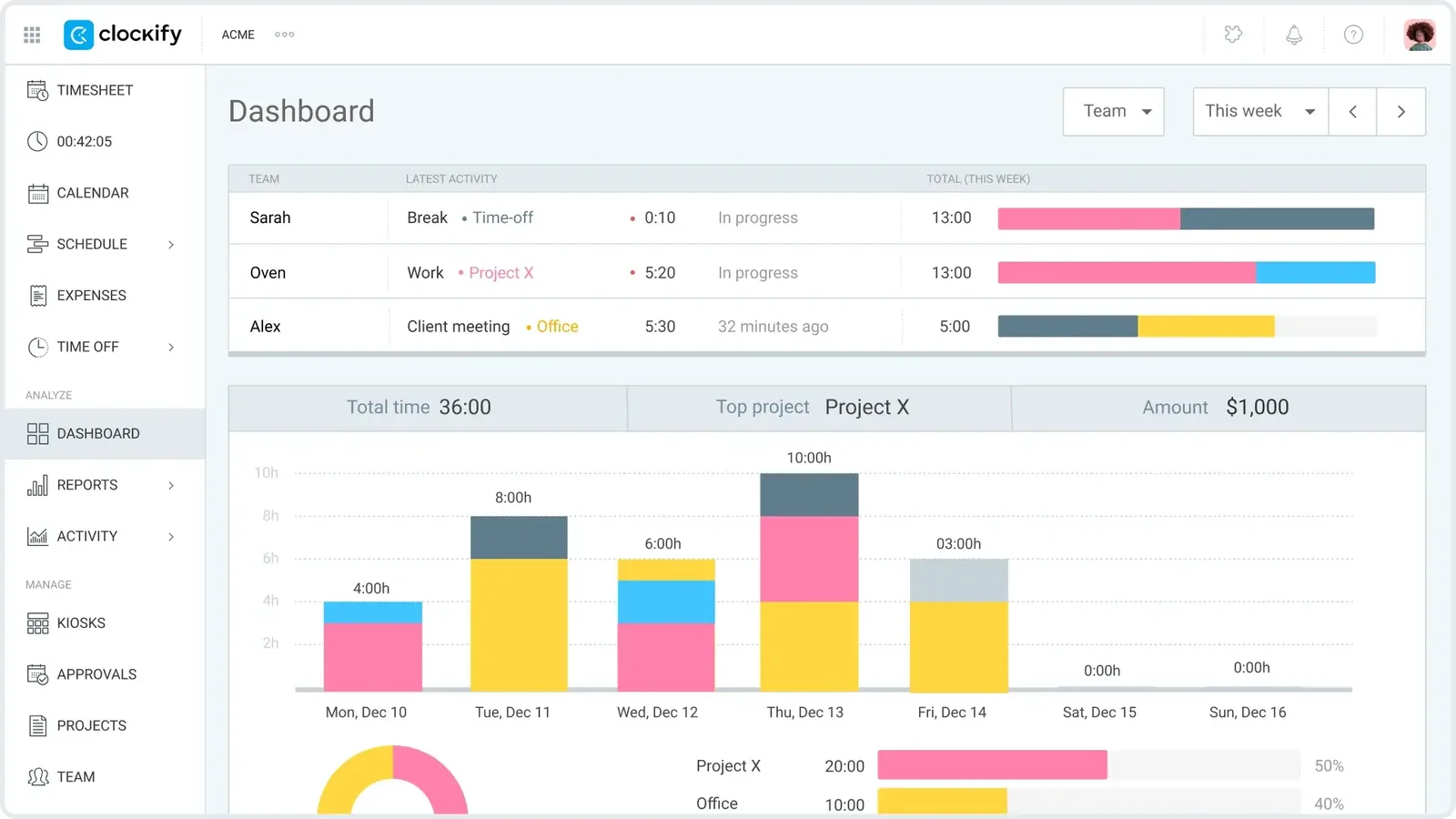
What the AI actually does: No dedicated AI categorization layer. The auto-tracker records app and website usage locally (visible only to the user) and lets you build time entries from it — functionally similar to Toggl's autotrack, not an ML classifier.
Pros
- The most generous free plan in the category — genuinely unlimited users and projects, no time limit
- Cheapest paid tier at $3.99/seat/mo for teams that need invoicing or approvals
- Auto tracker included even on Free, which most competitors gate behind a paid plan
Cons
- No meaningful AI — this is a well-built conventional time tracker, not an AI product, regardless of "auto tracker" naming
- Screenshots and GPS are locked behind the $7.99/seat Pro tier, which reintroduces the same monitoring trade-off as Hubstaff for teams that need that evidence
- Reporting depth on the Free plan is limited; teams that need real analytics will end up paying anyway
Pricing (2026): Free forever (unlimited users/projects). Basic $3.99/seat/mo annual. Standard $5.49/seat/mo. Pro $7.99/seat/mo. Enterprise $11.99/seat/mo.
Best for: Large teams on a strict budget that need straightforward time logging and can live without a genuine AI categorization layer.
9. RescueTime — Best for personal focus habits, not billing
RescueTime predates most of this list and still does one thing better than almost anyone: passively categorize how you spend your day into a productivity score, without any manual input. Focus Sessions, distraction blocking, and daily/weekly pattern reports make it the strongest personal-productivity tool here — but it's worth being clear that billing and client-facing reporting are a bolt-on (Solo+/Team+ tiers), not the core product.
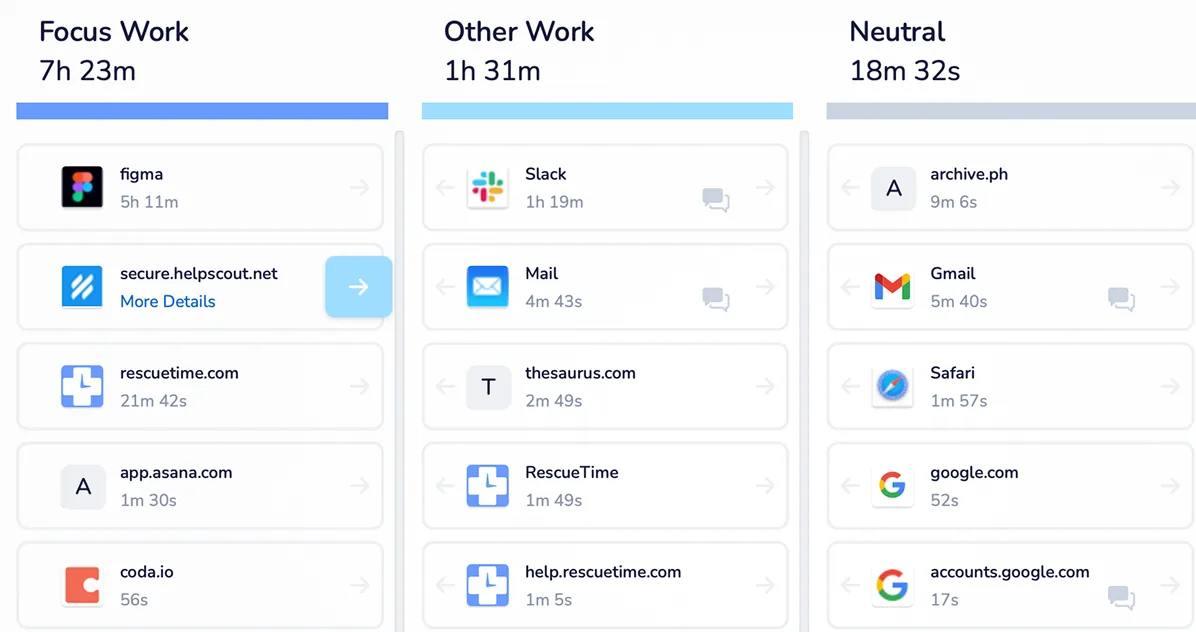
What the AI actually does: Passive background categorization of app and website time into a productivity score, plus pattern detection across days and weeks — genuinely automatic, but oriented around self-insight rather than client billing.
Pros
- Best-in-class for personal focus and distraction-pattern insight, with unlimited history on paid tiers
- Free Lite plan is a real, usable entry point, not just a trial
- Focus Sessions and mobile distraction blocking are genuinely useful habit-building tools most "time tracking" tools don't attempt
Cons
- Timesheets, projects, clients, and billable rates are locked to the Solo+ tier ($12–15/mo) — the cheaper Solo tier is focus-only and can't produce a client-ready report
- Free Lite plan is quite limited: two weeks of history, one goal, no detailed tracking
- Not designed for team-wide project billing the way Timely or TimeCamp are
Pricing (2026): Free Lite. Solo (Focus only) ~$7–9/mo. Solo+ (Timesheets + Focus) ~$12–15/mo. Team plans from $10–18/user/mo depending on tier.
Best for: Individuals who want to understand and improve their own focus patterns first, with client billing as a secondary, paid-tier feature rather than the main draw.
10. Reclaim.ai — Best for calendar-driven AI scheduling
Reclaim.ai earns its spot on an "AI time tracking" list with an asterisk worth stating plainly upfront: it isn't an activity-capture tool at all. It's an AI scheduling layer on top of Google Calendar or Outlook that automatically places your tasks, protects recurring habits, defends focus blocks against meeting creep, and re-plans your week whenever something shifts. Its "AI Time Tracking" feature analyzes calendar data and completed tasks to report on where time went — but there's no background app/window capture behind it.
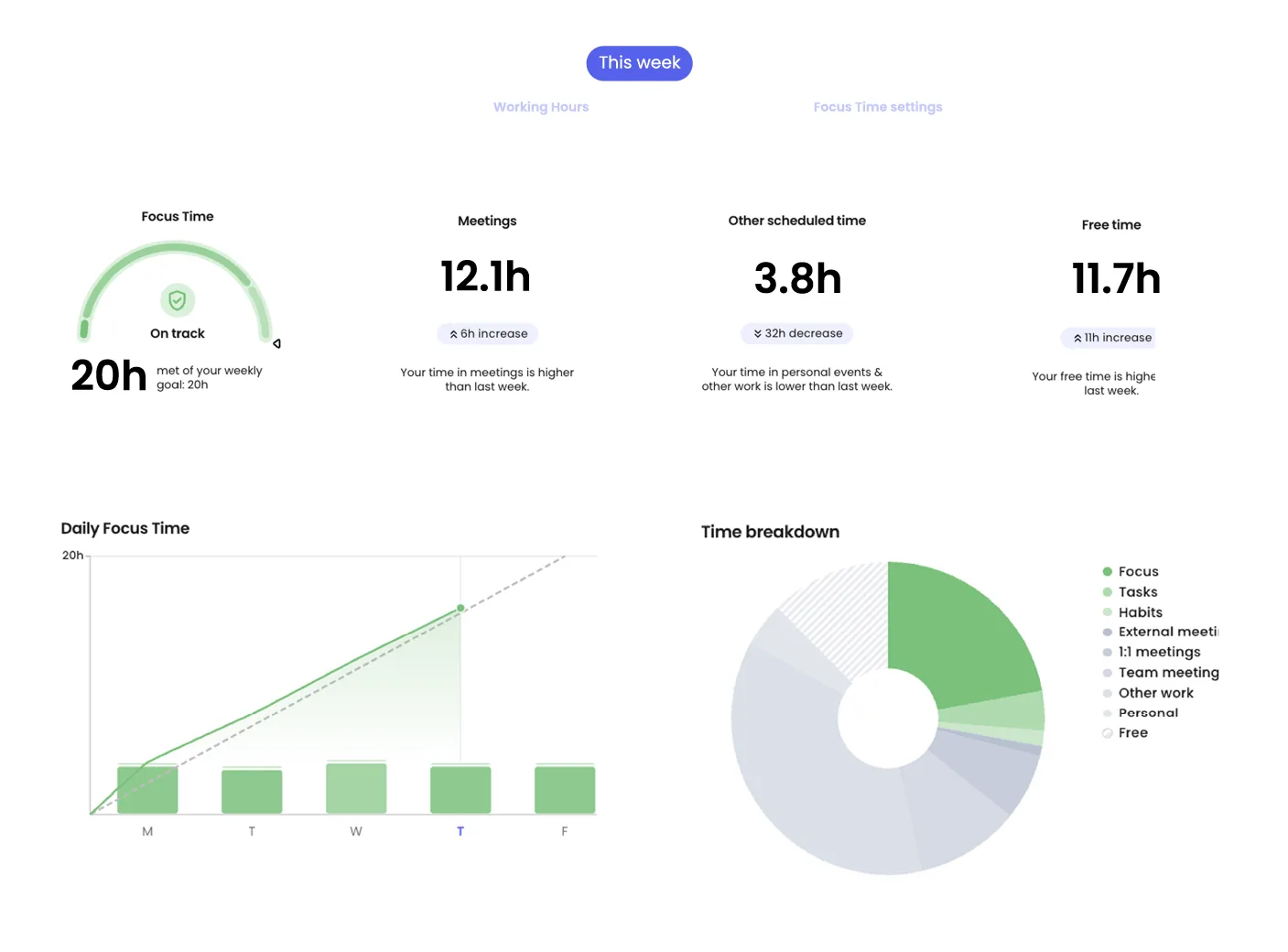
What the AI actually does: AI Habits, AI Tasks, AI Smart Meetings, and AI Planner all use machine learning to find and defend optimal calendar slots automatically; time reporting is derived from calendar and task data, not from screen or app activity capture.
Pros
- The most polished AI calendar-optimization tool available, with strong ratings and continued investment since its 2024 acquisition by Dropbox
- A genuinely useful free-forever Lite tier for individuals
- Uniquely good at defending deep-work blocks automatically — a problem none of the other nine tools on this list actually solve
Cons
- Not a real substitute for activity-based time tracking or client billing — if you need to prove what you worked on, this won't produce that evidence
- No native mobile app as of 2026, which is a real gap for a scheduling tool
- Data is hosted in the US only, with no EU residency option, which rules it out for some regulated teams
Pricing (2026): Lite free forever (1 user). Starter ~$8–10/seat/mo annual. Business ~$12–15/seat/mo annual. Enterprise ~$22/seat/mo annual.
Best for: Calendar-driven knowledge workers on Google or Outlook who want AI to protect focus time proactively — not teams that need billable-hour evidence.
How to choose, by scenario
Solo freelancer billing hourly clients: Rize or Timely give you automatic, billing-ready categorization without a monitoring posture. TimeCamp is the budget alternative if the token-based AI pricing is acceptable.
Small agency managing subcontractors: Hubstaff if you've already accepted the monitoring trade-off and need screenshot evidence for disputes; Timely or TimeCamp if you'd rather get automatic categorization without asking contractors to install something that looks like surveillance.
Legal, consulting, or NDA-bound work: Memtime, without much competition — it's the only tool here built specifically around never sending activity content off-device.
Large distributed team or BPO: Time Doctor or Hubstaff's AI Insights add-on for workforce-wide benchmarking; Clockify if the priority is cost control over analytics depth.
Personal focus and habit-building: RescueTime for the insight layer, Reclaim.ai if the actual problem is calendar chaos rather than not knowing where time went.
Tight budget, any team size: Clockify's free tier or Toggl's free-for-5 plan, with the caveat that neither has a genuine AI layer — you're trading automation for cost.
What none of these ten actually solve
Every tool above answers some version of "where did the hours go." None of them answer the harder question a client actually cares about: why did this time count as the work I'm paying for? Automatic categorization tells a client which app was open. Screenshot monitoring proves someone was at a desk. Neither one carries a reason a client can evaluate in under a minute without either taking your word for it or scrolling through raw captures themselves.
That gap is specifically what Kloy is built to close, and it's worth being precise about how it's different rather than just asserting it's better.

Kloy runs Screen Analysis entirely on your Mac — screenshots and OCR never leave the device, and only a masked, structured summary goes out for AI classification when Screen Analysis is on. Each captured activity gets scored against a focus goal you write yourself, in your own words, and gets a one-line written reason attached to it — not just a category, a justification a client can actually read. The resulting time-allocation table is computed deterministically from capture logs, not generated by a language model, so the numbers are just as auditable as any spreadsheet; the model's only job is the reasoning column. And when it's time to share it, a report can go out as a frozen, unfakeable verified link or an invoice-ready PDF — no raw footage changes hands either way.
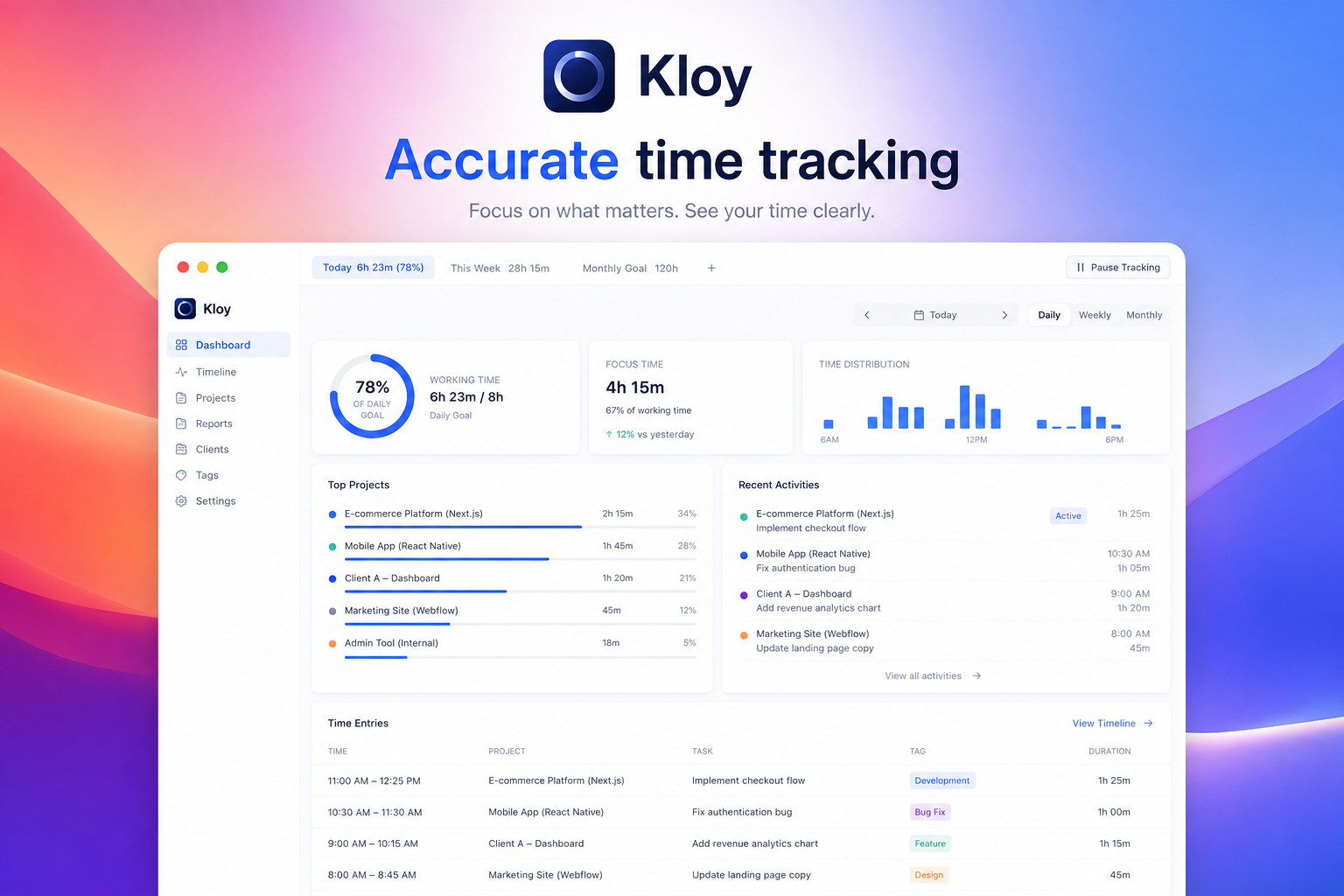
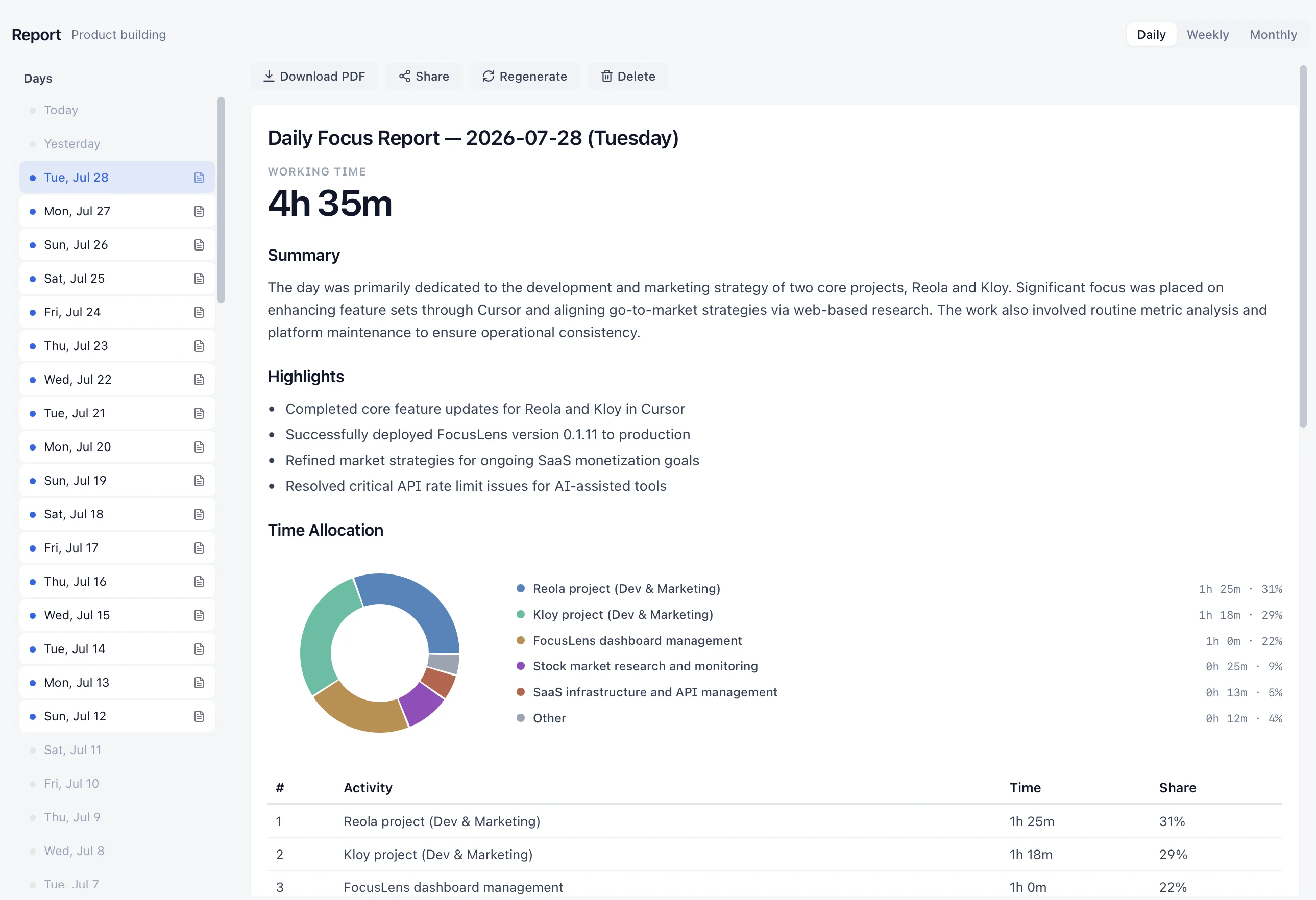
None of the ten tools above are wrong choices for what they're built to do — automatic capture, workforce analytics, calendar defense, or cheap unlimited logging are all real, legitimate jobs. But if the actual problem is a client (or a client-of-a-client) asking "what did you actually do this week, and why should I trust the number," a reasoned, goal-scored report closes that gap in a way that neither an activity log nor a screenshot archive was ever designed to. See what one looks like end-to-end in the sample focus report walkthrough, or read the full case for reasoning over raw activity in why reasoning matters more than activity.
FAQ
What makes a time tracker "AI," rather than just automatic?
Automatic tracking means activity gets captured without a manual timer. AI tracking means that captured activity also gets interpreted — categorized by project, drafted into timesheet language, or scored against a goal — without a human doing that interpretation by hand. Several tools people shop for under the "AI time tracking" label, including Toggl Track and Clockify's autotrack, do the first without the second.
Is AI time tracking safe for privacy, or is it just surveillance with better branding?
It depends entirely on where processing happens. Memtime and Kloy process activity locally and never send raw screen content off-device. Timely and Rize process activity for categorization but explicitly avoid screenshots and keystroke logging. Hubstaff and Time Doctor default to a monitoring posture with optional or default screenshots. Read the privacy model of any specific tool before assuming "AI" implies either extreme.
What's the best free AI time tracker in 2026?
TimeCamp includes its AI tracker (TIC) on the free plan, which is unusual — most competitors gate AI features behind a paid tier. Clockify and Toggl Track have the most generous free plans overall but neither has a genuine AI categorization layer.
Which tool is best for freelancers who need to show clients proof of work, not just log hours?
None of the ten pure time trackers above are built specifically to answer a client's "why should I trust this" question — that requires goal-scored reasoning attached to each activity, which is a different product category from automatic categorization. See the proof-of-work explainer for freelancers for what that format looks like and why it's different from a timesheet or a screenshot archive.
Should an agency install monitoring software on contractors to verify their hours?
Usually not as a first move — it creates real hiring friction and still doesn't explain why the hours counted, just that a screen was on. The agency contractor verification guide covers a workable middle ground that doesn't require installing a monitoring agent on everyone.
Try it against your own week
If your shortlist so far has been activity trackers and screenshot monitors, it's worth seeing what a goal-scored, reasoned report looks like on a real day of your own work. Download Kloy for Mac, set a focus goal, and generate your first report — or read the report trust FAQ first if you've got a specific objection about how the reasoning gets made.
Ready to see it in your own work?
Join the waitlist and we'll email you when Kloy opens.